

Every week, paralegals across the country spend hours doing work that shouldn't require a paralegal. Printing letters. Stuffing envelopes. Running to the post office. Tracking certified mail receipts. For a solo attorney sending 30 client notices, that's half a day gone. For a firm managing a 400-plaintiff mass tort case, it's a full-time job.
Direct mail automation for law firms changes that equation completely. Instead of a physical assembly line, you get a browser-based workflow: compose once, upload your recipient list, and send hundreds of physical USPS letters without touching a printer. This guide covers exactly how it works, which legal workflows benefit most, and what to look for in a platform that can handle the compliance requirements law firms actually face.
Table of Contents
- What Direct Mail Automation Actually Means for Law Firms
- Which Legal Workflows Benefit Most
- CSV Bulk Sends for Multi-Plaintiff Cases
- How Solo Attorneys Replace Paralegal Mailing Hours
- Postcard Follow-Ups for Client Updates
- SOC 2 Compliance and Why It Matters for Legal Mail
- How WriteToMail Works for Law Firms
- Sources
- FAQ
What Direct Mail Automation Actually Means for Law Firms
"Automation" gets overused. For law firms, it has a specific meaning: removing the manual, repetitive steps between composing a letter and having it delivered — without sacrificing the formality that physical mail provides.
A physical letter still carries more legal weight than email. Courts treat a mailed demand letter differently from a message sitting in a spam folder. Certified mail creates a documented chain of delivery. And for certain statutory notices — unlawful detainer, debt collection under the FDCPA, ERISA plan notifications — physical mail isn't optional. It's required.
Direct mail automation doesn't replace the legal judgment behind those letters. It replaces the printer, the envelopes, the postage meter, and the post office run. The attorney still drafts or approves the content. The platform handles everything after that.
According to a 2023 survey by the American Bar Association, only 19% of law firms have automated any part of their administrative workflow. That gap is closing fast — but the firms moving first are capturing the time savings now.
Which Legal Workflows Benefit Most
Not every piece of mail is worth automating. The highest-value targets are high-volume, repeatable correspondence where content follows a predictable structure and recipient lists are already organized in a spreadsheet or case management system.
Demand Letters
Demand letters are among the most frequently mailed documents in any litigation-adjacent practice. Collections, personal injury, landlord-tenant, employment, and IP practices all send them constantly. The structure is standard enough that templates work well — yet each letter needs accurate party names, dollar amounts, deadlines, and case-specific details.
That's exactly the problem CSV-based variable data mail merge solves. You map spreadsheet columns to letter placeholders, and every letter prints with the correct personalized data. Learn more about how to send attorney demand letters at scale using this exact workflow.
Case Status Notifications
Multi-plaintiff cases generate a steady stream of routine updates: deposition notices, mediation dates, settlement offer disclosures, and document requests. Mailing those manually is unsustainable above 50 plaintiffs. Automating them takes minutes.
Client Intake and Engagement Letters
New client intake letters, fee agreements, and engagement confirmations are high-stakes but structurally predictable. Automating the mailing of these documents keeps the intake pipeline moving without bottlenecks at the administrative level.
Cease and Desist Notices
IP attorneys and employment practices send these constantly. The content is firm-specific but template-friendly. Physical delivery matters for establishing a documented notice date.
CSV Bulk Sends for Multi-Plaintiff Cases
Mass tort cases and class actions present the clearest ROI case for mail automation. A firm handling 300 plaintiffs in a pharmaceutical litigation, for example, might need to send the same case update letter to all 300 clients simultaneously — with each letter personalized to that plaintiff's name, address, and case-specific details.
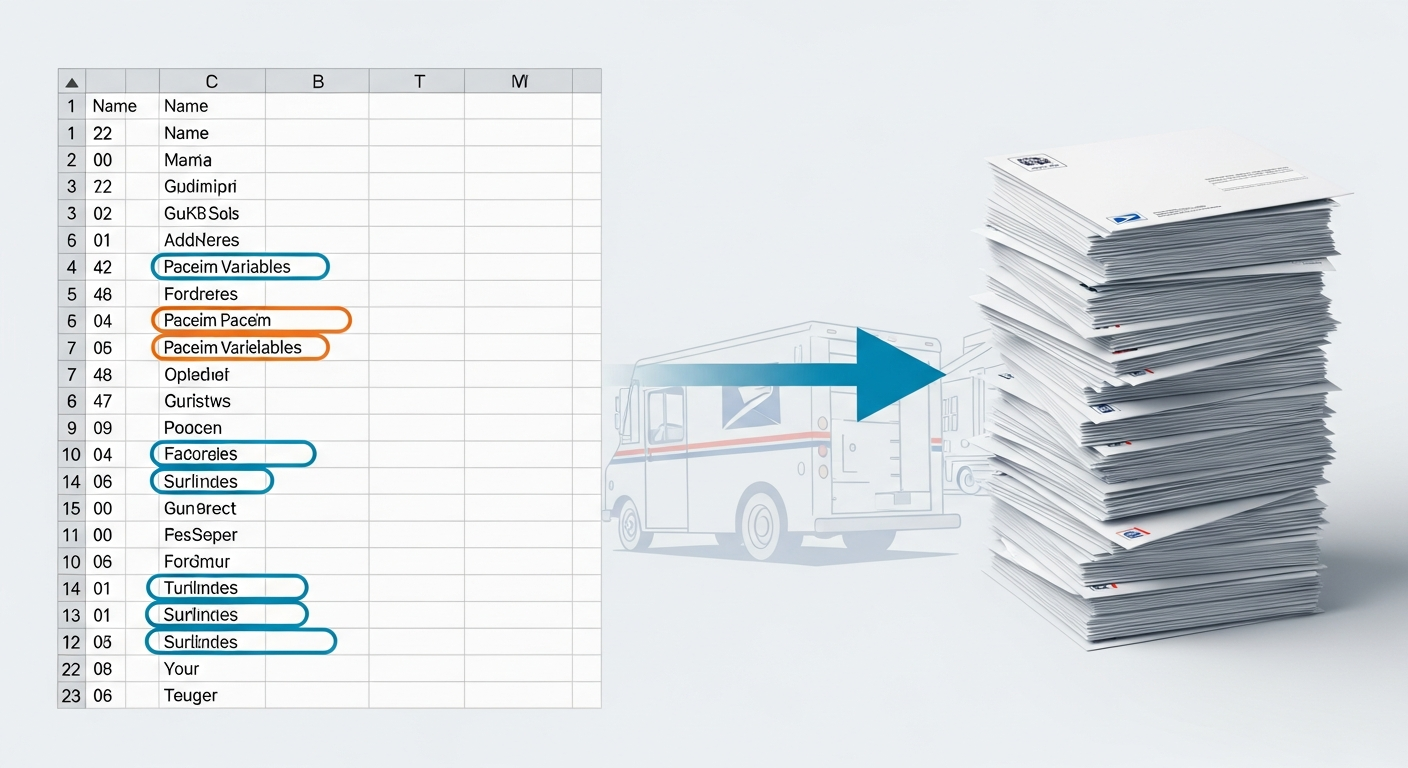
Without automation, that's 300 individual print jobs, 300 envelopes, 300 stamps, and a paralegal spending two days on logistics. With CSV bulk mailing, it's a single upload.
Here's what the workflow looks like in practice:
Step 1: Build your spreadsheet. Columns include recipient name, mailing address, and any variable fields — case number, dollar amount, response deadline, presiding judge, whatever the letter requires.
Step 2: Compose or upload the template. Use a rich text editor to write the letter once, inserting placeholder fields that correspond to your column headers. Or upload an existing PDF document directly.
Step 3: Upload and map. The platform maps your CSV columns to the letter placeholders. Preview a sample to confirm merge accuracy before sending.
Step 4: Send. Every letter goes to print and USPS delivery simultaneously. 300 letters that would have taken two paralegal days now take under 20 minutes of attorney or administrator time.
For firms handling bulk certified mail in addition to standard First-Class Mail, the bulk certified mail workflow for law firms follows the same CSV-based approach with the added benefit of individual tracking numbers per recipient.
The time math is significant. A paralegal billing at $35/hour spending 10 hours on a mass mailing costs a firm $350 in labor — plus postage, paper, and printer maintenance. At scale, that figure compounds quickly. According to Thomson Reuters' 2024 State of the Legal Market report, administrative overhead consumes an average of 40% of small firm operating budgets. Mail operations are a controllable slice of that overhead.
How Solo Attorneys Replace Paralegal Mailing Hours
Solo practitioners face a specific version of this problem. They don't have a paralegal. Or they have one part-time. Every hour spent on mailing logistics is an hour not spent on billable work or client development.
The typical solo attorney workflow for a demand letter looks something like this: draft the letter in Word, print it (hoping the printer works), fold it, find the right envelope, affix postage, drive to the post office or drop box, and log the send date manually. For one letter, that's 15–20 minutes. For ten letters a week, that's over two hours of non-billable time.
Browser-based mail platforms eliminate every step after drafting. The attorney composes the letter online — using either a built-in editor or their existing Word document saved as a PDF — enters the recipient's address, and sends. USPS First-Class Mail delivery happens without the attorney ever leaving their desk.
For a solo practitioner sending 40 letters per month, that's roughly 10–12 hours recaptured monthly. At a billing rate of $250/hour, that's $2,500–$3,000 in billable capacity freed up.
The solo attorney mail outsourcing guide breaks down this time-cost comparison in detail, with specific workflow comparisons between in-house mailing and using an online platform.
Postcard Follow-Ups for Client Updates
Not every client communication needs a formal letter. Status updates, appointment reminders, and settlement milestone notifications work well as postcards — faster to produce, lower cost, and still physical enough to feel deliberate.
A personal injury firm might send postcards at specific case milestones: "Your deposition has been scheduled," "Your case has been referred to a settlement mediator," "Your settlement check has been issued." These are informational, not legally operative — but sending them physically keeps clients engaged and reduces inbound "what's the status?" calls.
The automation angle: if your case management system tracks milestone dates, you can export those into a CSV and batch-send postcards to everyone hitting a given milestone that week. Customize the postcard with the client's name and case-specific language via variable data merge. Send fifty at once in the same time it takes to send one.
This kind of client communication strategy also has a retention dimension. The 2024 Clio Legal Trends Report found that clients who feel informed throughout their case are significantly more likely to refer new clients. Physical mail has a persistence that digital notifications lack — it sits on a desk rather than disappearing into a notification feed.
SOC 2 Compliance and Why It Matters for Legal Mail
Law firms handle sensitive client data constantly. Any platform that processes client names, addresses, case numbers, or financial figures as part of a mailing workflow touches information protected by attorney-client privilege. If that data is mishandled — stored insecurely, exposed in transit, accessed by unauthorized parties — the consequences extend beyond a data breach. They touch bar ethics obligations.
SOC 2 (System and Organization Controls 2) is the audit standard that verifies a SaaS platform has proper controls around data security, availability, processing integrity, confidentiality, and privacy. A SOC 2 Type II report — which covers how a platform performed over time, not just at a point-in-time audit — is the meaningful certification to look for.
For law firms evaluating mail automation platforms, SOC 2 compliance is non-negotiable. You're uploading spreadsheets containing client names, addresses, and potentially case details. You need documented assurance that data is encrypted, access-controlled, and not retained beyond operational necessity.
WriteToMail maintains SOC 2 compliant printing and data handling — a core requirement for any law firm looking to use the platform for client correspondence. The online mail service buyer's guide for law firms covers this and other compliance considerations in detail, including HIPAA-compliant mail for firms handling healthcare-related litigation.
One practical note: compliance certifications should be confirmed with the vendor directly. Ask for documentation, not just a checkbox on a marketing page.
How WriteToMail Works for Law Firms
WriteToMail is a SaaS platform built for exactly this workflow. Law firms — from solo practitioners to multi-attorney practices — can compose, customize, and send physical letters, postcards, and checks entirely online, without a printer, stamps, or a post office visit. The platform handles printing, postage, and USPS delivery.
For law firms specifically, WriteToMail offers:
Demand letter and cease and desist templates. Pre-built templates for the most common legal correspondence, customizable within the platform's rich text editor.
PDF upload and mail. Have an existing document in your case management system or Word processor? Upload the PDF and it prints and mails without re-creation.
CSV bulk mailing with variable data merge. Upload a spreadsheet, map columns to letter placeholders, and send personalized letters to hundreds or thousands of recipients simultaneously. Essential for multi-plaintiff cases.
AI-powered letter drafting. Describe what the letter needs to accomplish and the platform generates a draft. Useful for routine correspondence where attorneys don't want to start from a blank page.
SOC 2 compliant infrastructure. Client data handled with documented security controls appropriate for legal use.
USPS First-Class Mail delivery. Standard delivery without the firm managing any logistics.
The platform's dedicated law firm page outlines pricing and features relevant to legal practices. For firms ready to evaluate whether the workflow fits, the bulk mail guide for law firms managing multi-plaintiff cases walks through the CSV workflow in tactical detail.
For attorneys who want to understand the full scope of how direct mail fits into a law firm's communication strategy — beyond just automation tools — the complete direct mail guide for law firms covers best practices across mailing types, USPS delivery options, and compliance considerations.
Sources
- American Bar Association - 2023 Legal Technology Survey Report — statistics on law firm administrative workflow automation rates
- Thomson Reuters - 2024 State of the Legal Market Report — data on administrative overhead as a percentage of small firm budgets
- Clio - 2024 Legal Trends Report — data on client satisfaction, communication frequency, and referral behavior
FAQ
What is direct mail automation for law firms?
Direct mail automation for law firms refers to using software platforms to compose, personalize, and send physical letters, postcards, or certified mail without manual printing, stuffing, or post office logistics. The attorney or administrator handles the content and recipient list; the platform handles everything from print to USPS delivery.
Can a law firm send hundreds of demand letters at once?
Yes. Platforms like WriteToMail support CSV bulk mailing with variable data merge. Upload a spreadsheet of recipients and case-specific data, map the columns to letter placeholders, and every letter prints and mails with individualized content. A 300-letter mailing takes minutes of setup time.
Is it compliant to use a third-party platform for client mail?
It depends on the platform. Law firms need to verify that any platform handling client data maintains SOC 2 compliance at minimum. WriteToMail operates with SOC 2 compliant printing and data handling and is also HIPAA-compliant for firms handling healthcare-related cases. Confirm compliance documentation directly with any vendor before uploading client data.
Do I need to format letters a specific way for USPS delivery?
The platform handles formatting requirements for USPS delivery. You focus on the letter content and recipient address; the print-and-mail platform ensures the output meets postal standards.
Can solo attorneys use direct mail automation without technical expertise?
Yes. Browser-based platforms are designed for non-technical users. Composing a letter, uploading a PDF, or running a CSV bulk send doesn't require any coding or technical background. The workflow is closer to sending an email than managing a mail system.
What types of legal mail are best suited for automation?
Demand letters, cease and desist notices, client status updates, intake letters, fee agreements, settlement notifications, and statutory notices are all well-suited. Any correspondence that follows a repeatable template and involves a defined recipient list is a strong candidate.
How long does USPS delivery take through an online mail platform?
Physical letters sent via USPS First-Class Mail typically arrive within 1–5 business days, consistent with standard USPS First-Class delivery timelines. The platform submits to print and USPS on the same business day when orders are placed within cutoff windows.
What's the difference between First-Class Mail and certified mail for legal correspondence?
First-Class Mail is standard delivery — appropriate for most client correspondence, demand letters, and case updates where a documented delivery trail isn't legally required. Certified mail provides a tracking number, delivery confirmation, and optional return receipt — necessary for statutory notices, contract terminations, and other documents where proof of delivery may be needed in court.