
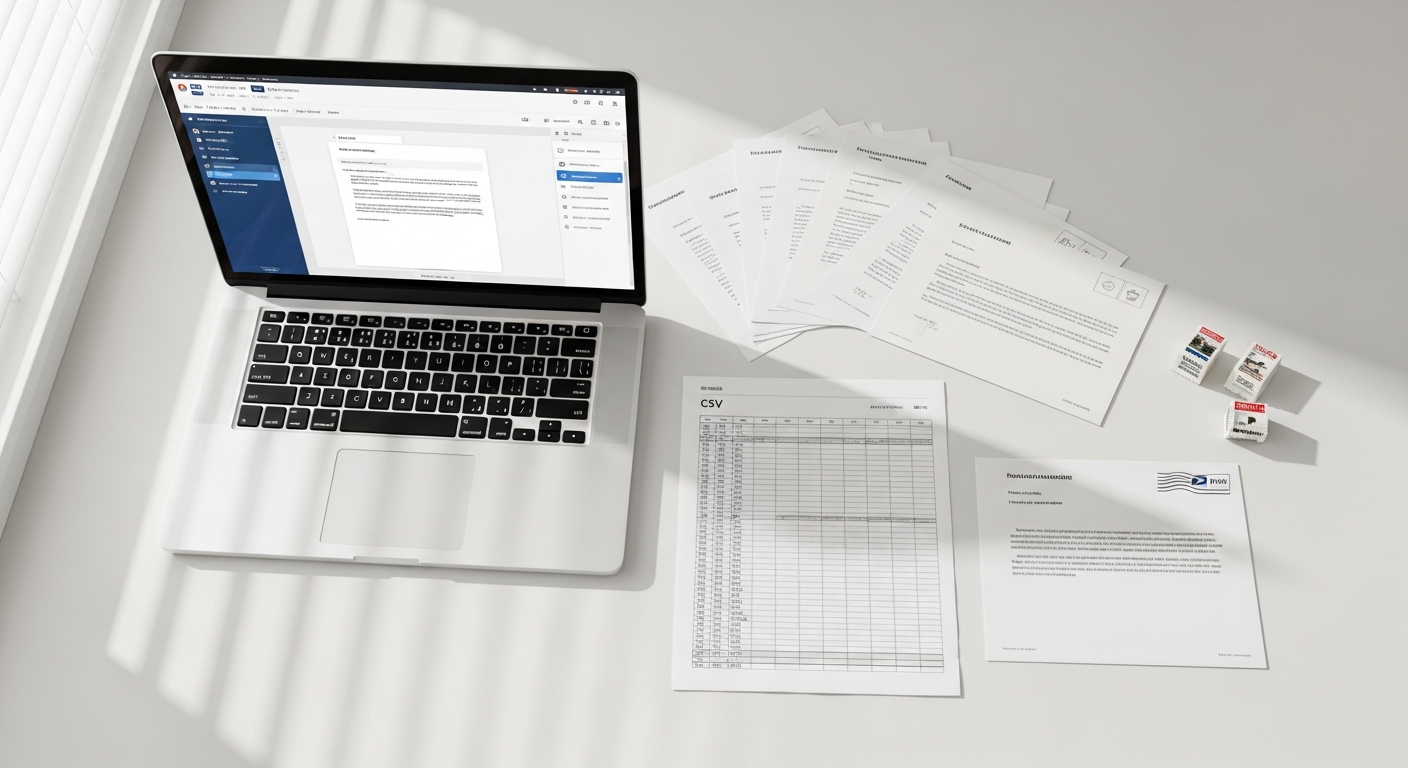
Sending 500 personalized letters used to mean a dedicated staff member, a printer that jams, a stack of envelopes, and an afternoon at the post office. That workflow hasn't changed much in 30 years — until now.
A mail merge letter service online lets you upload a spreadsheet, map your variable fields, and send hundreds of physical letters via USPS First-Class Mail without touching a single envelope. This guide explains exactly how that works, who it's built for, and why it outperforms the traditional Microsoft Word + printer approach for any business sending mail at scale.
Table of Contents
- What Is a Mail Merge Letter Service Online?
- How Online Mail Merge Works Step by Step
- Variable Fields You Can Personalize
- Online Mail Merge vs. Microsoft Word + Printer
- Who Uses This — and Why
- How WriteToMail's Mail Merge Workflow Works
- Compliance: HIPAA, SOC 2, and Sensitive Data
- Pricing and Cost Per Piece
- Sources
- FAQ
What Is a Mail Merge Letter Service Online?
Mail merge is the process of combining a single letter template with a list of recipient data to produce hundreds of individually personalized letters. The "merge" is between the template (fixed content) and the data source (variable fields like names, amounts, and addresses).
An online mail merge letter service takes that concept further. Instead of printing and stuffing letters yourself, the platform handles printing, enveloping, postage, and USPS delivery — entirely on your behalf. You write the template once, upload a CSV, hit send, and the physical letters arrive at recipients' doors within days.
This is distinct from email merge tools like Mailchimp or HubSpot. Those send digital messages. Online mail merge services send actual paper letters through the postal system.
How Online Mail Merge Works Step by Step
The workflow breaks into four stages. Each one is simpler than it sounds.
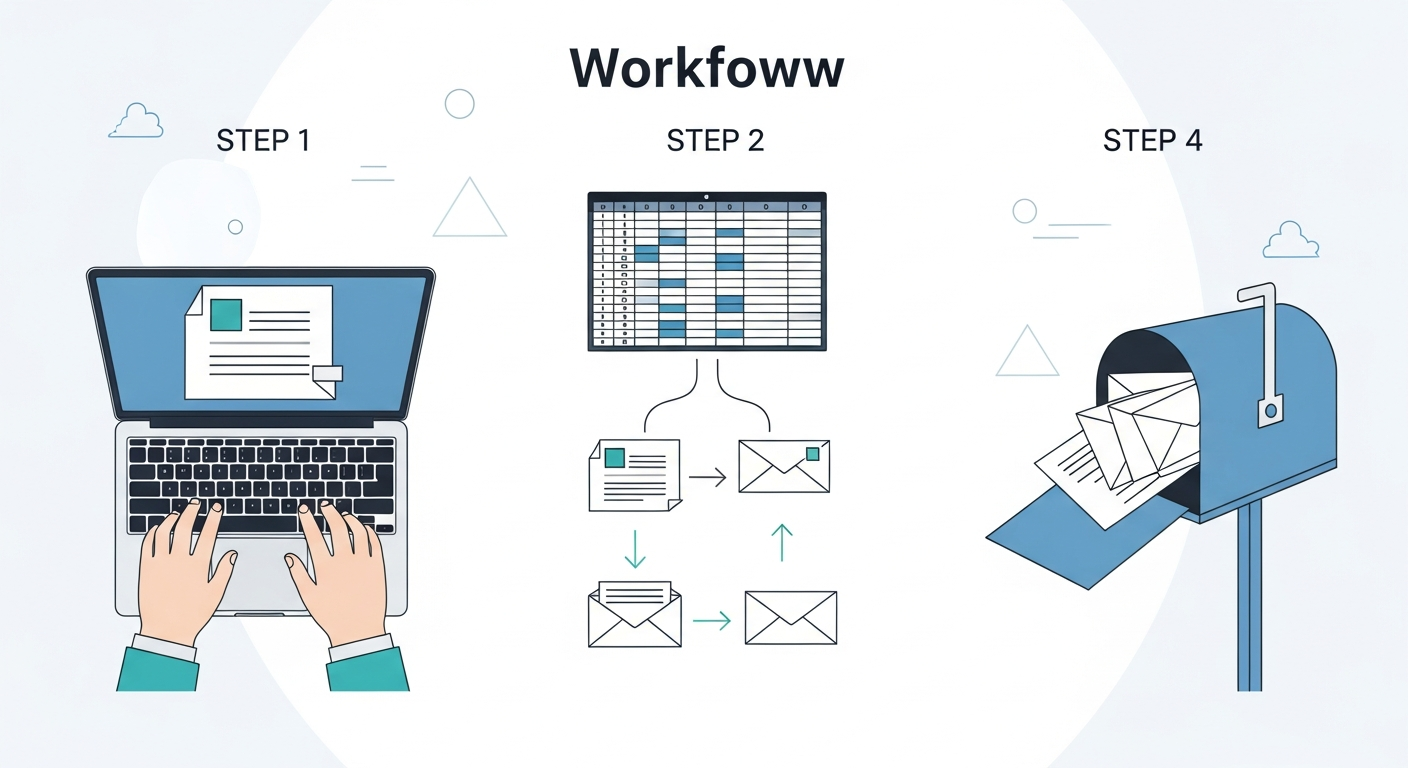
Step 1: Build Your Letter Template
You write the letter once using a rich text editor. Wherever you want personalized content to appear, you insert a placeholder — typically formatted like {{FirstName}} or {{AmountDue}}.
A collections notice might look like this:
Dear {{FirstName}},
Our records show an outstanding balance of {{AmountDue}} on your account {{AccountNumber}}, which was due on {{DueDate}}. Please remit payment at your earliest convenience.
Everything inside double curly braces gets replaced with real data from your spreadsheet. The rest of the letter — your company name, the payment address, the legal language — stays identical across every copy.
Step 2: Prepare Your CSV
Your CSV is a standard spreadsheet where each row is one recipient and each column is one data field. A typical file might include:
| FirstName | LastName | Address | City | State | ZIP | AmountDue | DueDate | AccountNumber |
|---|---|---|---|---|---|---|---|---|
| Maria | Chen | 142 Oak St | Austin | TX | 78701 | $487.00 | June 15 | AC-00291 |
| James | Okonkwo | 87 Pine Ave | Denver | CO | 80203 | $1,204.50 | June 15 | AC-00348 |
No special formatting required. A clean spreadsheet export from QuickBooks, your CRM, or your property management software works directly.
Step 3: Map Your Fields
Once the CSV is uploaded, you connect each column to its placeholder in the template. The platform reads your column headers and lets you confirm which column feeds which variable. This takes about two minutes.
Step 4: Preview and Send
Before committing, you preview how each letter will actually look — not just the template, but a real rendered version with actual recipient data substituted in. Once you're satisfied, you approve the send. The platform queues the letters for printing and hands them off to USPS.
Letters typically deliver within 3–5 business days via First-Class Mail.
Variable Fields You Can Personalize
The power of mail merge is in what you can vary. Beyond the obvious (name and address), a well-structured CSV lets you personalize:
- Recipient name — first name, last name, or full name depending on tone
- Mailing address — street, city, state, ZIP, all mapped from separate columns for accurate formatting
- Dollar amounts — outstanding balances, invoice totals, late fees, minimum payments
- Dates — due dates, account open dates, delinquency dates
- Account or invoice numbers — unique identifiers that make the letter feel official
- Custom text blocks — variable paragraphs based on a status field (e.g., 30-day vs. 90-day overdue language)
For a deeper look at how CSV column mapping works technically, the guide on variable data mail merge for bulk physical mail covers formatting requirements and common errors to avoid before you launch a large campaign.
Online Mail Merge vs. Microsoft Word + Printer
Microsoft Word has had a mail merge feature since the early 1990s. For small batches, it works. For anything at scale, it creates operational bottlenecks that most teams don't fully account for.
Here's an honest comparison:
| Factor | Word + Printer Setup | Online Mail Merge Service |
|---|---|---|
| Hardware required | Printer, paper, ink, envelopes | None |
| Staff time per 100 letters | 2–4 hours | Under 10 minutes |
| Postage procurement | Manual — purchase stamps or run to PO | Handled automatically |
| Error risk | High — printer jams, stuffing errors | Low — automated |
| Scalability | Breaks down above ~200 pieces | Handles thousands simultaneously |
| Compliance documentation | None | SOC 2, HIPAA-compliant options |
| Cost visibility | Difficult to track fully | Per-piece pricing, transparent |
The hidden cost of the DIY approach is staff time. If a billing coordinator spends four hours preparing, printing, stuffing, stamping, and mailing 150 past-due notices, that's real labor cost — plus the risk that one letter gets stuffed in the wrong envelope.
According to the USPS Household Diary Study, physical mail receives engagement rates significantly higher than email for transactional and financial communications. Businesses that rely solely on email to collect past-due balances leave response rates on the table.
Who Uses This — and Why
Accounts Receivable Teams
AR departments are the primary power users of mail merge letter services. Sending 30-day, 60-day, and 90-day past-due notices to hundreds of customers every billing cycle is unsustainable manually. A CSV-based workflow turns a half-day task into a 15-minute one.
If you're managing a collections workflow, the guide on sending past-due notices by mail covers how to structure a mailing cadence that increases payment rates.
Law Firms
Law firms send high volumes of formal correspondence — demand letters, notice of representation letters, settlement offers, and pre-litigation notices. Each letter must be personalized, accurate, and documented. A mail merge service handles the volume without sacrificing the formality of a physical letter delivered via USPS.
Property Managers and Landlords
A property manager with 300 units doesn't have time to individually prepare rent demand notices, lease renewal letters, or violation warnings. Variable data merge allows them to personalize each tenant notice with the correct unit number, balance due, and deadline — and mail all 300 in a single workflow. The guide on bulk rent demand notices for property managers walks through this use case specifically.
Healthcare Organizations
Healthcare billing departments send patient balance statements, appointment reminders, and insurance explanation-of-benefits letters. For these use cases, HIPAA compliance isn't optional — it's a requirement for any service handling patient data.
Small Businesses with Recurring Billing
Any business that invoices clients monthly — contractors, SaaS companies with offline customers, consultants, home service businesses — can benefit from automating physical invoice and reminder mailing. Physical invoices consistently outperform email for getting paid, particularly for older demographics and clients who have stopped responding to digital outreach.
How WriteToMail's Mail Merge Workflow Works
WriteToMail is built specifically for this workflow. The platform lets you compose, customize, and mail physical letters entirely online — no printer, no stamps, no post office trip required.
The mail merge workflow on WriteToMail works like this:
- Compose your letter using the rich text editor, or start from an existing template (demand letter, past-due notice, formal complaint, and more). You can also upload an existing PDF if your letter is already formatted.
- Insert variable placeholders into the template wherever recipient-specific data should appear.
- Upload your CSV with recipient data — name, mailing address, amounts, dates, account numbers, or any custom fields your letter requires.
- Map CSV columns to placeholders using the field-mapping interface.
- Preview personalized letters before committing — see exactly how each recipient's letter will render.
- Send. WriteToMail handles printing, postage, and USPS First-Class Mail delivery.
If you prefer to draft with AI assistance, the platform includes an AI-powered letter drafting tool that generates letter copy from a description or prompt — useful when you need to create a template quickly without starting from a blank page.
For teams sending hundreds of physical letters on a recurring schedule, the bulk invoice mailing service guide shows how to format a CSV correctly for invoice mail merge, including columns for customer name, amount due, and due date.
Compliance: HIPAA, SOC 2, and Sensitive Data
Mail merge for business use frequently involves sensitive data. Customer balances, account numbers, patient identifiers, and legal correspondence all require careful handling.
WriteToMail is both SOC 2 compliant and HIPAA compliant, meaning the platform meets established standards for data security and healthcare privacy. This matters for two reasons:
First, your CSV contains real financial or personal data. That data should be encrypted in transit and handled under a documented security framework — not processed through an unvetted tool.
Second, for healthcare organizations specifically, any vendor handling protected health information (PHI) must be HIPAA compliant. Using a non-compliant service to mail patient billing statements creates liability.
SOC 2 compliance is defined by the American Institute of CPAs as a framework governing how service providers manage customer data across security, availability, and confidentiality criteria. It's one of the baseline certifications businesses should require from any vendor handling sensitive records.
Pricing and Cost Per Piece
Online mail merge services typically price per letter sent. This model is more transparent than the true cost of in-house mailing, which bundles labor, paper, ink, envelopes, and postage into a number most businesses never calculate explicitly.
For WriteToMail's current pricing, visit the pricing page directly — rates vary based on volume and plan tier.
For context on the broader market, per-piece pricing for online print-and-mail services typically ranges from under $1.00 to over $2.00 per letter depending on volume, paper type, and whether color printing is included. At scale — hundreds or thousands of pieces — the per-unit cost drops significantly compared to in-house production.
The operational math is straightforward. If a team member earns $25/hour and spends 4 hours preparing 200 letters manually, that's $100 in labor alone — before paper, ink, envelopes, and postage. An online service at $1.20 per piece for the same batch costs $240 total, with zero staff time and no risk of mailing errors.
For businesses comparing platforms, the comparison of bulk mail services online evaluates major platforms on CSV upload ease, pricing, variable data merge capability, and compliance certifications.
Sources
- USPS Office of Inspector General — Household Diary Study — data on physical mail engagement rates for financial and transactional communications
- AICPA — SOC 2 Framework Overview — definition and criteria for SOC 2 compliance for service organizations
- HHS — HIPAA for Professionals — regulatory requirements for handling protected health information in vendor relationships
- USPS — First-Class Mail Service Standards — delivery timelines and eligibility for First-Class Mail
- FTC — Fair Debt Collection Practices Act Overview — federal requirements governing collection correspondence sent via mail
FAQ
What file format do I need to use for mail merge?
Most online mail merge services, including WriteToMail, accept standard CSV files (.csv). You can export a CSV from Excel, Google Sheets, QuickBooks, or virtually any CRM or billing platform. Column headers become your variable field names, so name them clearly (e.g., FirstName, AmountDue, DueDate).
How many letters can I send in a single batch?
WriteToMail supports bulk mailings to thousands of recipients simultaneously via CSV upload. There's no hard cap stated for standard bulk campaigns — if you're planning an exceptionally large send, the pricing page provides plan details.
How long does delivery take?
Letters sent via USPS First-Class Mail typically deliver within 3–5 business days. This is the same postal class used for individual letters — not slower bulk mail postage.
Can I preview letters before sending?
Yes. WriteToMail's workflow includes a preview step where you can see how each letter renders with actual recipient data substituted in — not just the template with placeholder text. This lets you catch formatting issues or data errors before committing to a full send.
Is the service HIPAA compliant for healthcare mailings?
WriteToMail is HIPAA compliant, making it appropriate for healthcare organizations that need to mail patient billing statements or other correspondence involving protected health information.
Can I upload a letter I've already designed?
Yes. WriteToMail supports PDF upload and mail — you can upload an existing, formatted PDF document and have it printed and mailed via USPS without recreating it inside the platform.
What's the difference between mail merge and bulk mail?
Bulk mail means sending many letters at once. Mail merge means each of those letters is personalized with recipient-specific data. A mail merge letter service online does both simultaneously — you send at scale, but each recipient receives a letter that contains their specific name, balance, address, and any other variable fields you've mapped.
Do I need any software installed?
No. WriteToMail is a SaaS platform — everything runs in the browser. You don't install software, configure a printer, or manage any local hardware.
Ready to send your first mail merge campaign? Start at WriteToMail.com — upload your CSV, compose your template, and get physical letters into the USPS stream today.