
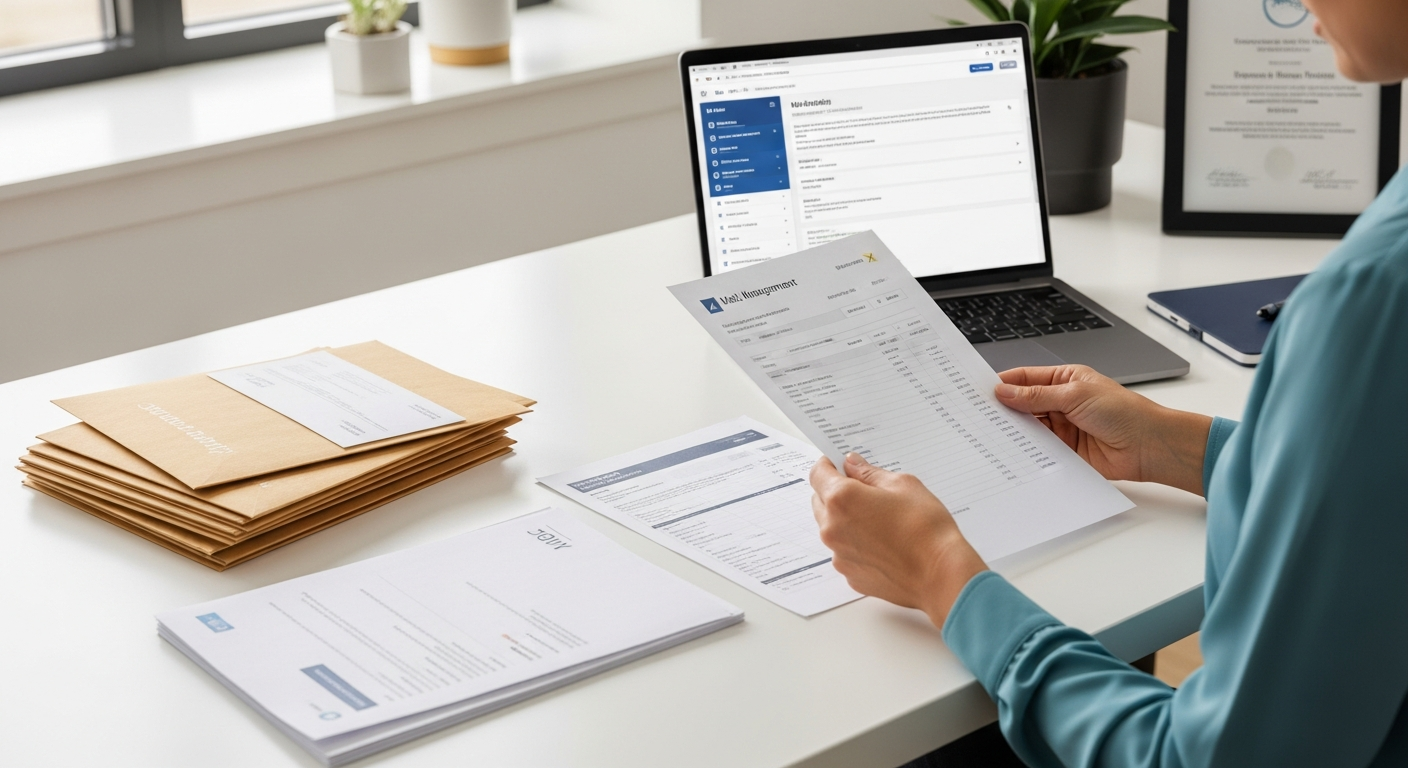
Most practice managers don't realize how much money walks out the door through the mail room. Printer maintenance. Paper. Toner. Staff time spent stuffing envelopes. Postage meters that need refilling. When you add it up across appointment reminders, billing statements, privacy notices, and collection letters, outbound mail is a surprisingly expensive operation — and it's almost entirely invisible on the P&L.
Outsourcing outbound mail for your healthcare practice eliminates that overhead and replaces it with a predictable per-letter cost, HIPAA-compliant infrastructure, and zero in-house printing. This guide breaks down exactly how it works, what it costs, and how to make the switch without disrupting your patient communication workflow.
Table of Contents
- Why Healthcare Practices Outsource Their Outbound Mail
- What Types of Mail Can You Outsource?
- In-House vs. Outsourced: Real Cost Breakdown
- HIPAA Compliance Requirements for Mailed Patient Communications
- How an Online Print-and-Mail Service Works
- Bulk Mailing for Healthcare: Using CSV Upload
- What to Look for in a Healthcare Mail Vendor
- How WriteToMail Handles Healthcare Mail
- Common Questions (FAQ)
- Next Steps
Why Healthcare Practices Outsource Their Outbound Mail
Running a medical practice is a clinical operation, not a print shop. But most practices run both simultaneously without realizing it.
Think about what happens every time you need to send a billing statement. Someone prints it. Someone folds it. Someone stuffs it into an envelope, applies postage, and drives a stack to the post office. If you're a two-physician primary care practice sending 400 statements per month, that's a part-time job hidden inside someone else's full-time role.
The administrative burden of physical mail is one reason healthcare operating costs continue climbing. Practices absorb the overhead without ever auditing it. Outsourcing converts that variable, labor-intensive cost into a flat per-piece rate handled entirely by a third-party service — while keeping you fully HIPAA-compliant.
Three outcomes practices report after outsourcing:
- Staff time redirected to scheduling, billing follow-up, and patient calls
- Consistent, professional-looking mail instead of whatever the office printer managed that day
- Audit-ready compliance without building internal PHI-handling procedures from scratch
What Types of Mail Can You Outsource?
Virtually every category of patient-facing outbound correspondence can be sent through an online print-and-mail platform. The most common for healthcare practices:
Appointment Reminders
Still highly effective for no-show reduction. A 2023 study in the Journal of Medical Internet Research found that mailed appointment reminders outperformed email-only reminders for patients over 55, a demographic that represents a large share of primary care and specialty visits.
Billing Statements and Invoices
The highest-volume outbound mail category for most practices. Patient balances after insurance adjudication need to reach patients clearly and promptly — and many patients still expect or require a paper statement.
Explanation of Benefits Letters
EOB letters must communicate complex insurance information at a reading level patients can act on. Sending these at scale via a HIPAA-compliant bulk mail platform is far more efficient than printing and mailing in-house.
Notice of Privacy Practices
HIPAA requires covered entities to provide a Notice of Privacy Practices to patients. The distribution obligation doesn't disappear once a patient has it on file — new patients and certain triggering events require fresh delivery. Physical mail is often the safest documentation method. There's a detailed breakdown of when and how to handle this in our guide on how to send a HIPAA Notice of Privacy Practices by mail.
HIPAA Breach Notification Letters
Federal law requires that breach notifications reach affected patients within 60 days. These letters have specific content requirements under HHS guidelines and must be sent securely. Getting them out the door fast — often to hundreds or thousands of patients simultaneously — is a use case where bulk outsourcing becomes essential.
Collection Letters
Past-due balance notices and escalation sequences (reminder → past-due → final notice) follow a predictable cadence. Automating that cadence through a patient collection letter mailing service removes the manual trigger-and-print process entirely.
In-House vs. Outsourced: Real Cost Breakdown
This is where most practice managers are genuinely surprised. In-house mailing feels free because the costs are distributed across existing budget lines. It's not free.
In-House Cost Model (per month, 400 letters)
| Cost Component | Monthly Estimate |
|---|---|
| Office printer depreciation/lease | $80–$150 |
| Paper (500-sheet reams × 4) | $25–$40 |
| Toner/ink cartridges | $50–$120 |
| Envelopes (#10, 400 units) | $15–$25 |
| USPS First-Class postage ($0.73 × 400) | $292 |
| Staff labor (2 hrs × $20/hr × 4 weeks) | $160 |
| Total monthly estimate | $622–$787 |
| Cost per letter | $1.56–$1.97 |
That $1.56–$1.97 per letter doesn't account for printer breakdowns, restocking delays, or the compliance risk of PHI passing through an unsecured print workflow.
Outsourced Cost Model (per month, 400 letters)
An online print-and-mail service typically charges $1.00–$1.50 per First-Class letter for single-page documents, inclusive of printing, enveloping, and postage. At 400 letters per month:
| Item | Monthly Estimate |
|---|---|
| Per-letter rate ($1.25 avg × 400) | $500 |
| Staff time for upload/review | ~15 minutes |
| Total monthly estimate | ~$500 |
| Cost per letter | ~$1.25 |
The savings are real — but the bigger value is the 8+ staff hours per month redirected to patient-facing work. At $20/hour, that's $160/month in recovered capacity. Over 12 months, that's $1,920 in labor recaptured from envelope stuffing.
HIPAA Compliance Requirements for Mailed Patient Communications
Physical mail containing protected health information (PHI) is not outside HIPAA's scope. The same rules that govern electronic records apply to paper records in transit.
What Counts as PHI in a Mailed Document?
Any letter that combines a patient's name with health information — a diagnosis, appointment type, account balance tied to a procedure, or insurance claim number — constitutes PHI under HIPAA. That includes:
- Billing statements showing CPT codes or procedure descriptions
- Appointment reminders listing the provider's specialty
- Collection letters referencing a treatment date or service
Business Associate Agreement (BAA) Requirement
Any vendor that processes PHI on your behalf — including a print-and-mail service — must sign a Business Associate Agreement. This is non-negotiable under the HIPAA Privacy Rule. Operating without a BAA exposes your practice to civil and criminal penalties.
Per the HHS Breach Notification Rule, practices must also report unauthorized disclosures of PHI affecting 500 or more individuals to HHS within 60 days — underscoring how seriously regulators treat mail-based PHI exposure.
SOC 2 Certification
A vendor's HIPAA compliance is only as credible as their underlying data security. Look for SOC 2 Type II certification, which independently audits a vendor's security controls over time. HIPAA and SOC 2 together create a layered compliance posture that holds up under scrutiny. Our explainer on what SOC 2 compliance means for physical mail services walks through what to verify before signing with any vendor.
How an Online Print-and-Mail Service Works
The workflow is simpler than most practice managers expect.
- Draft or upload your letter. Use a web-based editor to compose the letter, upload an existing Word document or PDF, or use AI-assisted drafting to generate a first draft from a plain-language description.
- Enter recipient information. For single sends, type the address. For batch sends, upload a CSV with patient names, addresses, and any personalized variable fields (account balance, appointment date, etc.).
- Review and send. Preview the letter as it will print, confirm the mailing, and submit.
- The service handles the rest. Printing, folding, inserting into envelopes, applying postage, and dropping into the USPS mail stream — all without anyone at your practice touching a printer.
Delivery typically follows standard USPS First-Class Mail timelines: 2–5 business days.
The entire submission process for a batch of 200 patient letters — once your template and CSV are ready — takes under 15 minutes.
Bulk Mailing for Healthcare: Using CSV Upload
The real efficiency multiplier for healthcare practices is bulk mail via CSV upload. Instead of printing and mailing letters one by one, you export a patient list from your EHR or billing system, map the columns to letter placeholders, and send everything in a single submission.
A typical healthcare CSV for billing statements might include:
| Column | Maps To |
|---|---|
| Patient_FirstName | Dear [Patient_FirstName], |
| Patient_LastName | Envelope address line |
| MailingAddress | Delivery address |
| BalanceDue | "Your current balance is $[BalanceDue]" |
| DueDate | "Payment is due by [DueDate]" |
| AccountNumber | For patient reference |
Variable data mail merge personalizes each letter dynamically. Every patient receives a letter with their specific balance, due date, and name — not a generic form letter with blanks to fill in.
This same workflow applies to appointment reminders, breach notification letters, and privacy notices. One upload, one submission, hundreds of compliant letters in the mail.
What to Look for in a Healthcare Mail Vendor
Not every online mail service is built for healthcare. A generic consumer mailing tool won't cut it when patient health information is involved. Evaluate vendors on these criteria:
HIPAA Compliance and BAA Availability
The vendor must explicitly support HIPAA compliance and be willing to execute a BAA. If they don't offer a BAA, they cannot legally process PHI for your practice.
SOC 2 Certification
Verify that the vendor holds a current SOC 2 certification — not just claims it. SOC 2 Type II (covering a period of time, not just a point in time) offers stronger assurance than Type I.
CSV Upload and Variable Data Support
You need bulk capability. A vendor that only handles single-letter sends will create more work, not less. Confirm that their platform supports CSV upload with variable data merge for personalized patient communications.
Transparent Per-Letter Pricing
Healthcare mail volumes fluctuate month to month. Avoid vendors with complex pricing structures or minimum commitments that don't match your actual volume. Per-letter pricing with no minimums gives you flexibility.
PDF Upload Support
Your practice already has letter templates — EOB formats, billing statement designs, HIPAA notices. A vendor that accepts PDF uploads lets you use existing documents without reformatting everything in a new editor.
Reliable USPS Delivery
Confirm the vendor mails via USPS First-Class Mail. For time-sensitive communications like breach notifications or payment due notices, delivery reliability matters.
How WriteToMail Handles Healthcare Mail
WriteToMail is a HIPAA-compliant, SOC 2 certified online print-and-mail platform built to handle exactly this type of correspondence.
For healthcare practices, here's what the workflow looks like in practice:
For single patient letters: Use the rich text editor to compose a letter — appointment reminder, privacy notice, collection letter — and mail it immediately without touching a printer or envelope.
For bulk patient mailings: Upload a CSV with your patient list and variable fields. WriteToMail's variable data mail merge maps CSV columns to letter placeholders, personalizing each letter with the patient's name, balance, account number, appointment date, or any other field in your export. The entire batch goes out in one submission.
For existing templates: Use the PDF upload feature to mail your current letter formats exactly as designed. No reformatting required.
For compliance documentation: WriteToMail executes a Business Associate Agreement with healthcare customers and processes all PHI through SOC 2 certified infrastructure.
For practices navigating the specific compliance requirements of HIPAA-compliant patient letter mailing, WriteToMail's infrastructure is built to satisfy those requirements without requiring your practice to build internal PHI-handling procedures.
Pricing is per letter, inclusive of printing, enveloping, and First-Class postage. No minimums, no monthly commitments. The pricing page has current rates.
Sources
- American Hospital Association — Costs of Caring — cited for context on rising healthcare administrative costs
- Journal of Medical Internet Research — Appointment Reminder Study (2023) — cited for data on mailed vs. email appointment reminders by patient age group
- HHS — HIPAA Breach Notification Rule — cited for the 60-day breach notification requirement and HHS reporting thresholds
- USPS — First-Class Mail Postage Rates — cited for current First-Class Mail stamp pricing used in cost model
- HHS — HIPAA Privacy Rule and Business Associates — cited for BAA requirements for third-party PHI processors
FAQ
Does outsourcing outbound mail mean I lose control over what gets sent?
No. You compose, review, and approve every letter before it's submitted. The vendor handles production and delivery — not content decisions. You retain full control over messaging, branding, and which patients receive what.
Is physical mail really still effective for patient communication?
For certain patient segments, yes — significantly so. Older patients, rural patients, and patients without reliable email access respond better to physical mail than digital alternatives. Many billing and legal notices also carry more weight when they arrive in an envelope.
What happens if a letter is returned undeliverable?
USPS returns undeliverable mail to the return address on the envelope. Your vendor should use your practice's return address by default. Returned mail is a useful signal that a patient's address needs updating in your system.
Can I send one-off letters, or is this only for bulk batches?
Both. Most online print-and-mail platforms handle single letters just as easily as bulk batches. Single sends are useful for individual patient correspondence, appeals, or any situation where you need to mail one document quickly without running to the post office.
Do I need to sign a BAA with every mail vendor I use?
Yes. Any vendor that receives, stores, or processes PHI on your behalf — even temporarily during printing — is a Business Associate under HIPAA. A BAA is legally required before that vendor can touch your patient data.
How long does it take for letters to arrive after I submit?
USPS First-Class Mail typically delivers in 2–5 business days. Production and hand-off to USPS usually happens the same day or next business day after submission.
What if I already have letter templates designed in Word or PDF?
Vendors that support PDF upload let you use your existing templates without reformatting. Upload the PDF, enter recipient addresses or upload a CSV, and send. Your design is preserved exactly.
Is there a minimum volume required to outsource?
Most online print-and-mail platforms have no minimums. You can send a single letter or a batch of 5,000 — the pricing per unit stays the same or improves at volume.
Next Steps
Outsourcing outbound mail is one of the few operational changes that reduces cost, reduces compliance risk, and frees up staff time simultaneously.
Here's how to start:
Audit your current mail volume. Count how many letters your practice sends per month across all categories — billing, reminders, notices, collections. This gives you a baseline for cost comparison.
Identify your highest-volume category first. For most practices, that's billing statements. Start with one category rather than trying to migrate everything at once.
Confirm BAA and compliance requirements with your compliance officer. Any new mail vendor needs to sign a BAA before you upload a single piece of patient data.
Run a small test batch. Send 20–50 letters through an outsourced platform before committing to full volume. Evaluate print quality, delivery time, and workflow fit.
Visit WriteToMail's pricing page to compare per-letter costs against your current in-house numbers. The math tends to resolve quickly.
If your practice handles sensitive mailings like HIPAA authorization forms, breach notifications, or privacy notices at scale, read through the guide on how to send HIPAA authorization forms to patients by mail — it covers the compliance specifics that billing staff often miss.
The goal isn't to eliminate all in-person administrative work. It's to stop spending staff time and practice budget on tasks a compliant, reliable service can handle for less.