
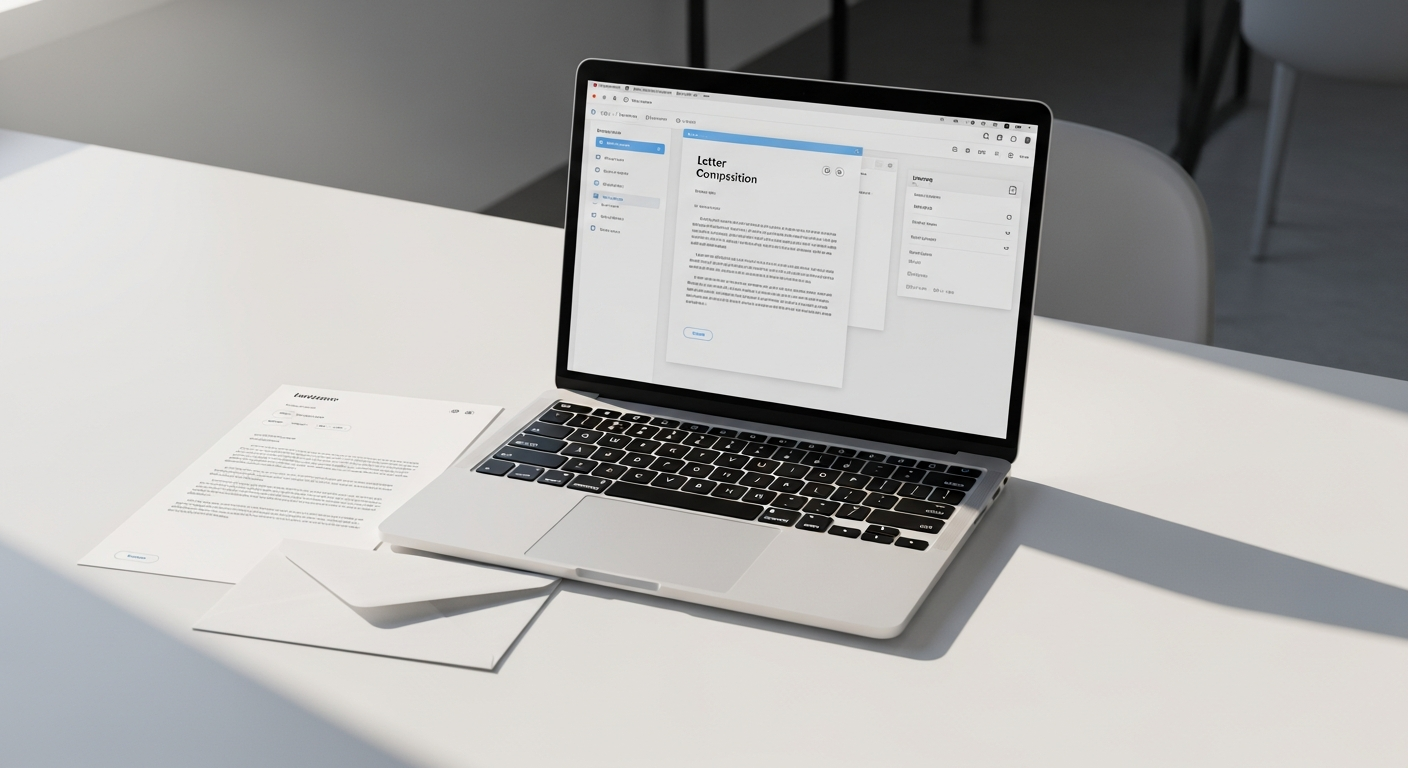
Sending a letter via USPS online isn't complicated — but most people don't realize it's even possible. You type or upload your letter, a platform prints it and adds postage, and USPS delivers it to any mailbox in the country. No printer. No stamps. No post office.
This guide walks through exactly how that process works, what to expect at each step, and why platforms like WriteToMail have made the old way of mailing letters feel unnecessary.
Table of Contents
- What "Sending a Letter via USPS Online" Actually Means
- How the Process Works: Step by Step
- What You Can Send
- How Long Does USPS Delivery Take?
- Is It Safe? Security and Compliance
- When to Use This Instead of Email
- How WriteToMail Handles the Whole Process
- Common Questions
- Next Steps
What "Sending a Letter via USPS Online" Actually Means
There's some confusion worth clearing up. USPS itself doesn't offer a service where you type a letter on their website and they mail it. What actually exists is a category of third-party platforms — sometimes called print-and-mail services or online mailing services — that act as a bridge between you and USPS.
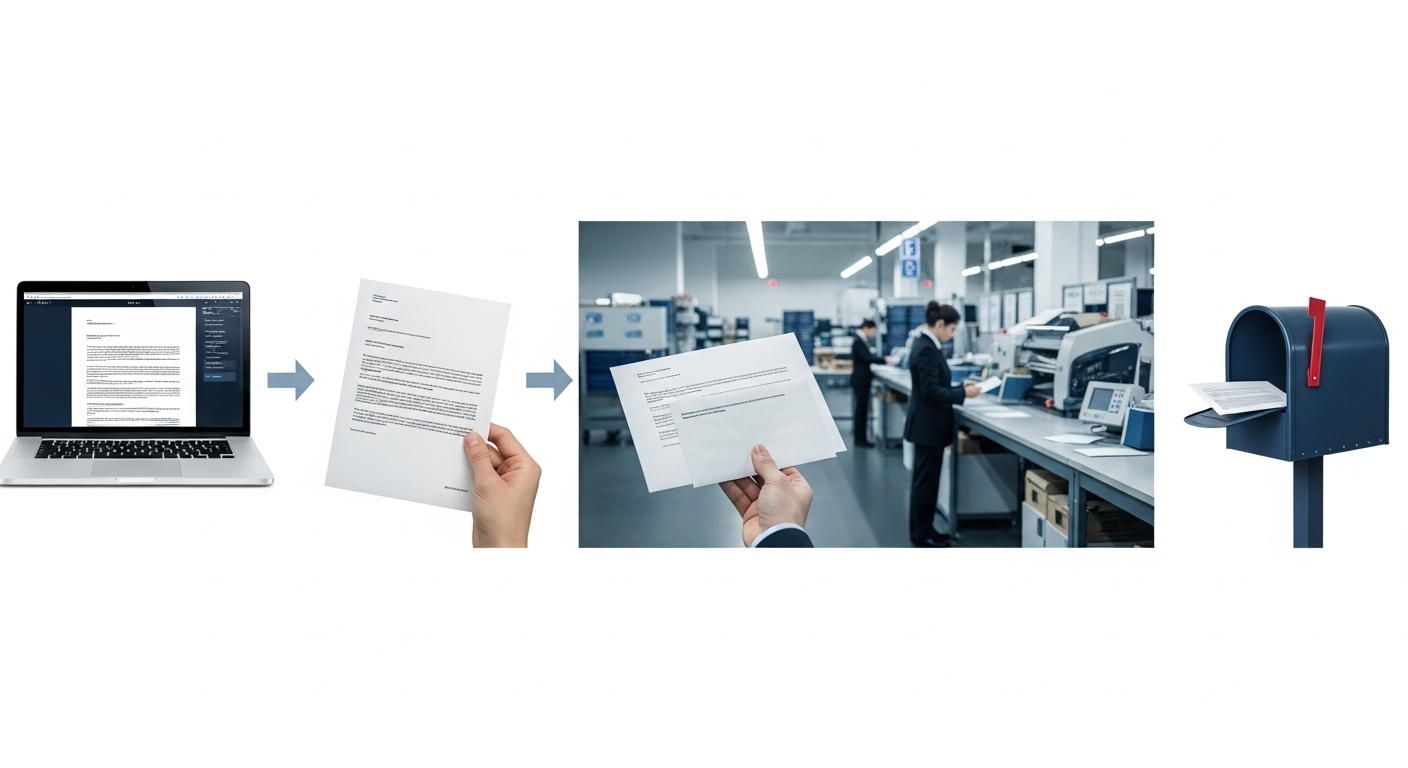
Here's the chain: you compose your letter on the platform's website → the platform prints it at a licensed facility → it gets inserted into an envelope with your recipient's address → the platform hands it off to USPS → USPS delivers it to the recipient's physical mailbox.
From your perspective, you never touch paper. The physical letter is real and the delivery is real USPS First-Class Mail — you just handled everything digitally.
This model has grown significantly in recent years. According to USPS revenue data, First-Class Mail still generates billions in annual revenue, and digital-to-physical mailing services have carved out a meaningful slice of that by removing the friction of traditional mail prep. For anyone who regularly needs to send physical letters — invoices, legal notices, formal complaints — the time savings alone justify the switch.
How the Process Works: Step by Step
The workflow is more streamlined than most people expect. Here's what actually happens when you send a letter via USPS online.
Step 1: Compose or Upload Your Letter
Most platforms give you two starting points: write from scratch using an editor, or upload a document you've already prepared.
If you're writing from scratch, you'll typically get a text editor where you can type your letter, adjust formatting, and add your sender information. WriteToMail includes a rich text editor with font, style, and color customization, plus an AI drafting tool that generates a polished letter from your description — useful if you know what you need to say but aren't sure how to phrase it professionally.
If you already have a document ready, uploading and mailing a PDF letter is often the faster path. You skip re-typing entirely — just upload the file and move on.
Step 2: Enter the Recipient's Address
You'll provide the recipient's full mailing address: name, street, city, state, and ZIP. For single letters, this is a manual entry. For bulk sends, platforms like WriteToMail accept CSV uploads so you can populate hundreds of addresses at once.
Step 3: Preview and Confirm
Before anything gets printed, you'll see a preview of how the letter will look on the page. This is your last chance to catch typos, fix formatting, or adjust spacing.
Step 4: Pay and Submit
Pricing varies by platform and volume, but single letters through WriteToMail are priced to be competitive with buying a stamp and envelope yourself — without the hassle. There are no hidden fees for printing or handling.
Step 5: Printing, Postage, and USPS Handoff
This is where the platform does all the work. Your letter gets printed at a fulfillment facility, folded, inserted into an envelope, stamped with the correct postage, and handed to USPS. From that point, it moves through the standard mail stream like any other First-Class letter.
The whole submission process — from landing on the page to clicking send — takes about 60 seconds with WriteToMail. That's not a marketing number. The platform is specifically designed around a no-account-needed, minimal-steps workflow.
What You Can Send
"Online mailing service" covers more than just letters. Here's what's actually available through platforms like WriteToMail:
Letters — Standard one or multi-page letters, business correspondence, legal notices, formal complaints, demand letters, cease and desist letters, cover letters. You can use templates or write from scratch.
Postcards — Single-sided or double-sided postcards for personal or business use.
Checks — Physical checks sent by mail. WriteToMail supports sending a check by mail online without a checkbook — useful for freelancers, small businesses, and legal settlement payments.
Bulk mailings — CSV upload to send personalized letters to hundreds or thousands of recipients simultaneously. Variable data fields (like Name, Amount Due, or Account Number) pull directly from your spreadsheet columns.
If you're trying to understand the full scope of what's possible, the complete guide to sending physical mail online covers every format in detail.
How Long Does USPS Delivery Take?
USPS First-Class Mail typically delivers in 1–5 business days, with the majority of domestic letters arriving in 2–3 days. According to USPS service standard data, local mail often lands next day or in two days, while cross-country letters average three to five.
Print-and-mail platforms add a step before the USPS handoff: your letter needs to be printed and prepped, which typically takes 1 business day. So your realistic total timeline from submission to delivery is 2–5 business days for most U.S. addresses.
If your situation requires proof of delivery — legal notices, formal demands, landlord-tenant correspondence — you'll want certified mail rather than standard First-Class. Platforms that support certified mail provide tracking and a return receipt. That said, not every situation legally requires it; First-Class Mail is appropriate for the vast majority of personal and business letters.
Is It Safe? Security and Compliance
This is a reasonable concern. You're handing a platform your letter content, the recipient's address, and sometimes sensitive details like dollar amounts or account information. The question is whether that data is handled securely.
WriteToMail is SOC 2 compliant, which means its systems for storing and processing data meet the security standards set by the American Institute of Certified Public Accountants (AICPA). For organizations sending health-related correspondence, the platform also maintains HIPAA compliance — a requirement for any service handling protected health information.
For context on why compliance matters here: according to IBM's 2023 Cost of a Data Breach report, the average cost of a healthcare data breach reached $10.93 million. Healthcare organizations choosing any digital service — including mailing platforms — need verified compliance, not just a checkbox on a sales page.
SOC 2 and HIPAA certification aren't just for healthcare. Law firms, financial services companies, and any organization sending confidential correspondence benefit from using a compliant platform.
When to Use This Instead of Email
Email is faster. For casual communication, it wins. But physical mail carries weight that email can't replicate — literally and legally.
Legal and formal situations: Demand letters, cease and desist notices, formal complaints, and landlord-tenant notices are almost always more effective — and sometimes legally required — in physical form. Many courts and legal processes require proof that a letter was sent by mail. Email headers don't carry the same evidentiary standing.
Situations where you want the recipient to take you seriously: A printed letter on paper signals formality. HR departments, corporate executives, and legal departments treat physical mail differently than an email that can be archived with one click. If you've ever needed to escalate a complaint and felt ignored over email, a physical letter often changes the dynamic. The formal complaint letter mailing service guide covers this dynamic in detail.
Job applications: Physical cover letters remain unusual enough in 2026 that they stand out. In industries where presentation matters — law, finance, architecture, executive roles — arriving as a printed letter can separate you from hundreds of identical email applicants.
Older recipients or those without reliable email: Not every invoice recipient or relative monitors their inbox. Physical mail reliably reaches people regardless of their digital habits.
How WriteToMail Handles the Whole Process
WriteToMail is built specifically around the send-letter-via-USPS-online workflow. A few things make it worth highlighting:
No account required to start. You can begin composing a letter immediately without creating an account, verifying an email, or navigating a setup wizard. That's intentional — the platform is designed so the first letter you send takes under 60 seconds from start to finish.
AI-powered drafting. Describe what you need — "a formal demand letter to my contractor for $4,200 in unpaid work" — and the platform generates a professional draft. This feature is particularly useful for legal and formal documents where tone and structure matter. The AI letter writer workflow is one of the fastest ways to get from idea to mailed letter.
Templates for common use cases. Demand letters, cease and desist letters, cover letters, and formal complaint letters all have dedicated templates. These aren't generic fill-in-the-blank forms — they're structured documents designed to look and read professionally.
Bulk CSV mailing. Small businesses, law firms, and property managers regularly need to send the same letter to hundreds of people with personalized fields. WriteToMail's CSV upload maps spreadsheet columns directly to letter placeholders, so every recipient gets a personalized document without manual work.
USPS First-Class Mail delivery. Every letter goes through USPS, which means standard delivery timelines, national reach, and the legal standing that comes with USPS delivery.
For law firms specifically, WriteToMail has a dedicated set of features and workflow optimizations — the direct mail guide for law firms covers how physical mail fits into legal correspondence practice.
Sources
- Statista — U.S. Postal Service Annual Revenue — cited for USPS First-Class Mail revenue context
- USPS — Service Standards for Market-Dominant Mail Products — cited for First-Class Mail delivery time estimates
- IBM — Cost of a Data Breach Report 2023 — cited for healthcare data breach cost statistic
- AICPA — SOC 2 Overview — context for SOC 2 compliance standards
Common Questions
Do I need a USPS account to send a letter online?
No. You use a third-party platform like WriteToMail, not USPS's own website. USPS handles the delivery, but you interact entirely with the platform — no USPS account required.
Can I send a letter to any address in the U.S.?
Yes. WriteToMail delivers to any valid U.S. mailing address via USPS First-Class Mail. APO/FPO military addresses are covered under standard USPS service.
How much does it cost to send a letter this way?
Pricing depends on the platform and letter length. The cost is typically comparable to or slightly above the cost of a First-Class stamp, which as of 2026 is $0.73. The convenience premium covers printing, paper, envelope, and handling. WriteToMail's pricing page has current rates.
What if I already have my letter written?
Upload it as a PDF. WriteToMail's PDF upload feature lets you skip the editor entirely — upload your document, enter the address, and submit. No re-typing needed.
Is a letter sent this way legally valid?
Yes. A letter mailed via USPS First-Class Mail has the same legal standing as any other mailed letter. The platform prints it on standard paper and it travels through standard USPS channels. If your situation requires certified mail with return receipt — such as certain legal notices — choose a platform that supports that delivery option.
Can I send multiple letters at once?
Yes. WriteToMail supports bulk mailing via CSV upload. You upload a spreadsheet with recipient names, addresses, and any variable fields, and the platform generates and mails personalized letters to each person.
How do I know my letter was actually sent?
Reputable platforms provide confirmation after submission. For situations where you need documented proof of mailing, certified mail with return receipt is the appropriate option — it provides a USPS tracking number and a delivery confirmation record.
Next Steps
Sending a letter via USPS online takes less time than most people expect. The process is linear, the cost is low, and you end up with a real physical letter delivered to a real mailbox — without ever leaving your desk.
If you're ready to send your first letter:
- Go to WriteToMail.com — no account needed to start
- Type your letter, use a template, or upload a PDF — all three paths are available
- Enter your recipient's address and confirm — preview before submitting
- Submit and let WriteToMail handle the rest — printing, postage, and USPS delivery
If you want to understand the broader landscape of sending physical mail online before committing — pricing models, format options, how different platforms compare — that guide covers it in full.
The post office isn't going anywhere. But for most people sending most letters, there's no reason to visit it anymore.