

Healthcare organizations send millions of physical letters every year — billing statements, appointment reminders, explanation of benefits, breach notifications. Every one of those letters may contain protected health information (PHI). Every one of them is a potential HIPAA liability if you're using the wrong vendor.
The ability to send HIPAA-compliant letters online has transformed how healthcare IT teams and compliance officers approach patient correspondence. Instead of managing in-house print rooms or routing documents through non-compliant mail vendors, covered entities can now outsource the entire print-and-mail workflow to certified platforms. But "certified" is doing a lot of work in that sentence. Not every platform that claims HIPAA compliance actually meets the technical and contractual standards regulators expect.
This guide breaks down exactly what those standards are — and what to look for when evaluating an online mail platform for patient communications.
Table of Contents
- What HIPAA Compliance Actually Means for Physical Mail
- Business Associate Agreements: Non-Negotiable
- SOC 2 Certification: Why It Matters Beyond HIPAA
- PHI Handling in CSV Uploads and Bulk Mail
- Encryption Standards for Data in Transit and at Rest
- Audit Trails and Access Controls
- Minimum Necessary Standard in Mail Workflows
- How to Evaluate a Platform Before You Sign
- FAQ
- Sources
What HIPAA Compliance Actually Means for Physical Mail
HIPAA's Security Rule covers electronic PHI (ePHI). The Privacy Rule covers all PHI — including what's printed on paper and dropped in a mailbox. When you upload a patient list to an online platform and that platform prints and mails your letters, the PHI exists in both states: electronic during processing, physical on delivery.
That dual-state nature is exactly why the compliance requirements for online mail platforms are more complex than most teams initially assume. A platform must protect the data while it's in transit to their servers, while it's being processed for printing, and while printed materials are staged for USPS pickup. Any gap in that chain is a breach waiting to happen.
According to HHS guidance on business associates, any vendor that creates, receives, maintains, or transmits PHI on behalf of a covered entity qualifies as a business associate. Print-and-mail vendors unambiguously fall into this category.
The practical implication: you cannot legally use an online mail platform for patient correspondence unless that platform is willing to sign a Business Associate Agreement (BAA) and demonstrates the technical safeguards required under the HIPAA Security Rule.
Business Associate Agreements: Non-Negotiable
A BAA is not a courtesy document. Under 45 CFR § 164.308(b), covered entities are required to obtain satisfactory assurances from every business associate handling PHI. Without a signed BAA, transmitting patient data to a mail platform is a direct HIPAA violation — regardless of how secure the platform actually is.
What a BAA must cover, at minimum:
- Permitted uses and disclosures of PHI — the vendor can only use your patient data to fulfill the mailing, not for analytics, advertising, or any secondary purpose
- Safeguard requirements — the vendor must implement appropriate administrative, physical, and technical safeguards
- Breach notification obligations — the vendor must notify you of any PHI breach without unreasonable delay and within 60 days of discovery
- Data return or destruction — upon termination, PHI must be returned or securely destroyed
- Subcontractor requirements — if the platform uses subcontractors (for printing, for example), those subcontractors must also be bound by equivalent BAA terms
Before evaluating any platform's technical features, confirm they offer a BAA as a standard part of their healthcare offering. If a vendor hedges on this — or offers it only at enterprise pricing tiers — treat that as a red flag.
SOC 2 Certification: Why It Matters Beyond HIPAA
HIPAA tells you what to protect. SOC 2 tells you how well a vendor actually protects it.
SOC 2 (Service Organization Control 2) is an auditing framework developed by the American Institute of CPAs (AICPA). It evaluates a vendor's controls across five Trust Service Criteria: Security, Availability, Processing Integrity, Confidentiality, and Privacy.
For healthcare mail, the Security and Confidentiality criteria are most directly relevant. A SOC 2 Type II report — as opposed to Type I — means an independent auditor reviewed the vendor's controls over a sustained period (typically 6-12 months), not just at a single point in time. Type II certification is meaningfully more rigorous.
Why does this matter alongside HIPAA? HIPAA doesn't prescribe specific technical controls. It requires "reasonable and appropriate" safeguards — a standard that leaves significant interpretive room. SOC 2 Type II closes that gap by requiring demonstrable, audited evidence of security practices. A vendor with both HIPAA-compliant processes and SOC 2 Type II certification is a fundamentally different risk profile than one with neither.
For a deeper look at what SOC 2 means specifically in the context of physical mail services, this explainer on SOC 2 compliant mail breaks down what's actually being protected and how to verify compliance when evaluating vendors.
PHI Handling in CSV Uploads and Bulk Mail
Bulk mailings are where compliance complexity concentrates. When a billing department uploads a CSV containing thousands of patient records — names, addresses, account balances, insurance information — that file is PHI-dense and requires careful handling at every stage.
At upload: The platform must use encrypted file transfer (TLS 1.2 or higher). The receiving server must be in a HIPAA-compliant environment. Access to uploaded files must be role-restricted — meaning only authorized personnel and automated print systems should ever touch the data.
During processing: Variable data printing (VDP) systems merge CSV columns with letter templates. A patient's name, balance, and account number get pulled into the appropriate placeholders. This process should occur in an isolated, access-controlled environment. The rendered documents — whether PDFs or print-ready files — are themselves PHI and must be treated accordingly.
After mailing: Uploaded CSVs and rendered documents should not be retained indefinitely. Your BAA should specify data retention and destruction policies. Some platforms automatically purge data after mailing; others require manual deletion. Know which you're dealing with before you upload the first file.
HIPAA-compliant bulk mail for healthcare covers the full workflow in detail — including how to structure CSV files, what variable fields are appropriate for patient mailings, and what compliant data handling looks like end to end.
Encryption Standards for Data in Transit and at Rest
Two encryption scenarios apply to online mail platforms: data in transit (moving between your system and the vendor's), and data at rest (stored on the vendor's servers during processing).
In transit: TLS 1.2 is the current minimum acceptable standard. TLS 1.3 is preferred. Any platform still supporting TLS 1.0 or 1.1 — deprecated protocols with known vulnerabilities — should be immediately disqualified for PHI workflows. Verify this by reviewing the vendor's security documentation or asking directly during vendor evaluation.
At rest: AES-256 encryption is the industry standard for stored data. This applies to uploaded CSVs, rendered documents, and any temporary files created during print processing. The encryption keys should be managed by the platform (or a dedicated key management service), and key access should be logged and audited.
One nuance that trips up compliance teams: end-to-end encryption at the document level is different from database-level encryption. Ask vendors to specify where encryption is applied — not just whether encryption exists. "We encrypt data" is too vague to evaluate.
Audit Trails and Access Controls
Under 45 CFR § 164.312(b), covered entities and their business associates must implement hardware, software, and procedural mechanisms that record and examine activity in systems containing PHI.
For an online mail platform, this translates to:
- User-level access logging — who logged in, when, and what actions they took
- File access logs — when CSVs were uploaded, accessed, processed, and deleted
- Print job logs — confirmation that specific letters were generated and sent to print
- Mailing confirmation — records that jobs were handed off to USPS, ideally with tracking
From a compliance officer's perspective, these logs serve two purposes. First, they support internal audits — you can demonstrate to your compliance team or external auditors that PHI was handled appropriately. Second, in the event of a breach, they're essential for determining the scope of exposure and fulfilling HHS notification requirements.
Ask vendors specifically: are audit logs immutable? Can they be exported? How long are they retained? A vendor that can't answer these questions confidently doesn't have a mature compliance posture.
Minimum Necessary Standard in Mail Workflows
The HIPAA minimum necessary standard — codified under 45 CFR § 164.502(b) — requires that disclosures of PHI be limited to the minimum amount necessary to accomplish the intended purpose.
Applied to mail workflows, this has direct implications for what you put in your CSV and what your letter templates include.
A billing statement needs the patient's name, address, account number, and balance. It doesn't need their full diagnosis, medication list, or insurance policy number unless those fields are directly relevant to the communication. Every extra PHI field in your CSV is additional exposure — if the file is breached, the damage scope expands.
Practical guidance for compliance officers reviewing mail workflows:
- Audit your letter templates before deploying them at scale. Remove any PHI fields not essential to the letter's purpose.
- Restrict CSV column access within your organization. Not everyone who initiates a mailing needs access to the full patient dataset.
- Review the platform's template system. Does it log which fields were merged? Can you restrict which CSV columns are mappable to prevent accidental PHI over-inclusion?
This is an area where the internal workflow matters as much as the vendor's technical controls. A SOC 2 certified platform can still be used in a non-compliant way if your templates or data exports are too broad.
How to Evaluate a Platform Before You Sign
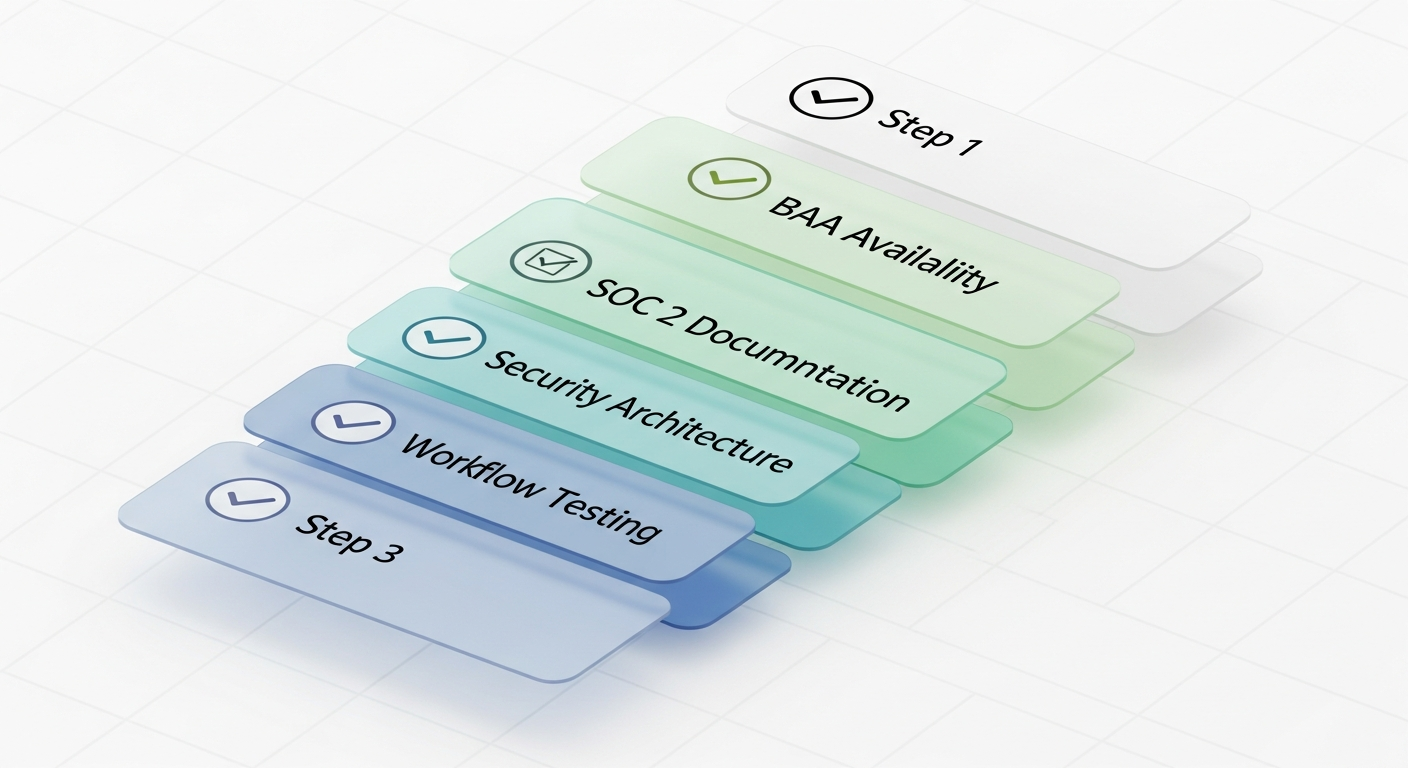
Evaluating an online mail platform for HIPAA-compliant patient correspondence requires a structured approach. Here's the framework compliance officers should apply:
Step 1: Confirm BAA Availability
Ask directly: "Do you offer a Business Associate Agreement for healthcare customers?" If the answer involves routing you to a sales team for a custom enterprise contract, clarify whether BAA availability is tier-gated. A platform genuinely built for healthcare should make BAA execution straightforward.
Step 2: Request SOC 2 Documentation
Ask for the SOC 2 Type II report or a summary letter from the auditor. Verify the audit period and scope. Confirm the report covers the specific services you'll be using (print-and-mail, CSV processing).
Step 3: Review Security Architecture
Request a security whitepaper or ask specific questions about encryption standards, access controls, data retention, and subcontractor BAA coverage. Any vendor serious about enterprise healthcare clients will have written documentation ready.
Step 4: Test the Workflow
Before committing to a vendor for patient mail, run a test job with synthetic (non-PHI) data. Evaluate the CSV upload process, template mapping, and confirmation workflow. Identify any points where data handling feels ambiguous.
Step 5: Confirm Audit Log Access
Ask specifically: "Can we access audit logs showing when our files were uploaded, processed, and deleted?" If audit log access is limited or unavailable to customers, that's a compliance gap.
WriteToMail is built to clear all five checkpoints — with SOC 2 compliant infrastructure, HIPAA-compliant physical mail service, BAA availability for healthcare customers, and bulk mailing via encrypted CSV upload with variable data personalization for patient-specific communications.
For a broader overview of what makes a HIPAA compliant physical mail service legitimate versus performative, that resource covers the foundational concepts in detail.
Actionable Next Steps
If you're a healthcare IT administrator or compliance officer evaluating platforms to send HIPAA-compliant letters online, here's where to focus your immediate energy:
Audit your current vendor. If you're already using an online mail platform for patient correspondence, verify they have a signed BAA on file. If not, you have an existing compliance gap.
Map your PHI exposure. Review every letter template that contains patient data. Identify which fields are PHI and whether they meet the minimum necessary standard.
Require SOC 2 Type II. Make this a hard requirement in your vendor selection criteria, not a nice-to-have. Type I is insufficient for ongoing patient mail workflows.
Test before deploying at scale. Don't bulk-send 50,000 patient billing notices through a new platform without a pilot run. Identify workflow gaps with a smaller test batch.
Document everything. Your compliance posture depends on being able to demonstrate appropriate vendor selection. Keep copies of BAAs, SOC 2 reports, and vendor security documentation.
For organizations ready to move forward, WriteToMail's HIPAA-compliant mail service supports the full range of patient correspondence — from single letters to bulk CSV mailings with variable data personalization — without requiring a printer, postage, or a trip to the post office.
Sources
- HHS — Business Associates Guidance — Definition of business associate and BAA requirements under HIPAA
- Electronic Code of Federal Regulations — 45 CFR § 164.308(b) — Business associate contract requirements under the HIPAA Security Rule
- Electronic Code of Federal Regulations — 45 CFR § 164.312(b) — Audit controls requirement under the HIPAA Security Rule
- Electronic Code of Federal Regulations — 45 CFR § 164.502(b) — Minimum necessary standard under the HIPAA Privacy Rule
- AICPA — SOC Suite of Services — Definition and framework for SOC 2 certification
- HHS — HIPAA Security Rule Summary — Overview of technical safeguard requirements for ePHI
FAQ
Does a physical mail vendor really need to sign a BAA?
Yes. The moment a vendor receives, processes, or transmits PHI on your behalf — even for the purpose of printing and mailing — they are legally a business associate under HIPAA. No BAA means no compliant workflow, regardless of how secure their systems are.
Is SOC 2 Type I good enough for healthcare mail?
No. SOC 2 Type I confirms that controls exist at a point in time. Type II confirms they operated effectively over a sustained audit period. For ongoing patient mail workflows, only Type II provides meaningful assurance.
What if the mail vendor uses a third-party print facility?
The vendor's BAA must extend to all subcontractors who handle PHI. If the platform outsources printing, that print facility must also be bound by equivalent BAA terms. Ask vendors to confirm subcontractor BAA coverage explicitly.
How long can a vendor retain uploaded patient data?
This depends on your BAA terms. Best practice is automatic deletion after the mailing job is confirmed complete. At minimum, your BAA should specify a defined retention limit and require secure destruction. Indefinite retention of patient CSVs is a compliance liability.
Can we use variable data mail merge with PHI?
Yes — provided the platform processes variable data in a HIPAA-compliant environment with appropriate access controls, encryption, and logging. Variable data capabilities that pull from CSV uploads (like patient name, balance, and account number) are commonly used for billing statements and EOBs. The compliance obligation rests on both the platform's infrastructure and how you structure your templates and data files.
What types of patient letters can we send through an online mail platform?
Billing statements, appointment reminders, explanation of benefits, breach notifications, notice of privacy practices, collection letters, and test result notifications are all commonly sent via compliant online mail platforms. For guidance specific to patient billing workflows, this overview of HIPAA-compliant letter mailing for healthcare providers covers each use case in detail.
Does USPS delivery itself create any HIPAA compliance issues?
USPS is not a business associate under HIPAA — it's a conduit, similar to a telecommunications carrier. Accordingly, you don't need a BAA with USPS. The compliance obligation sits with the platform handling the PHI upstream of USPS pickup. Once the sealed envelope enters the postal stream, the HIPAA obligations shift to ensuring the physical security of the letter (proper sealing, correct addressing) rather than electronic data safeguards.