
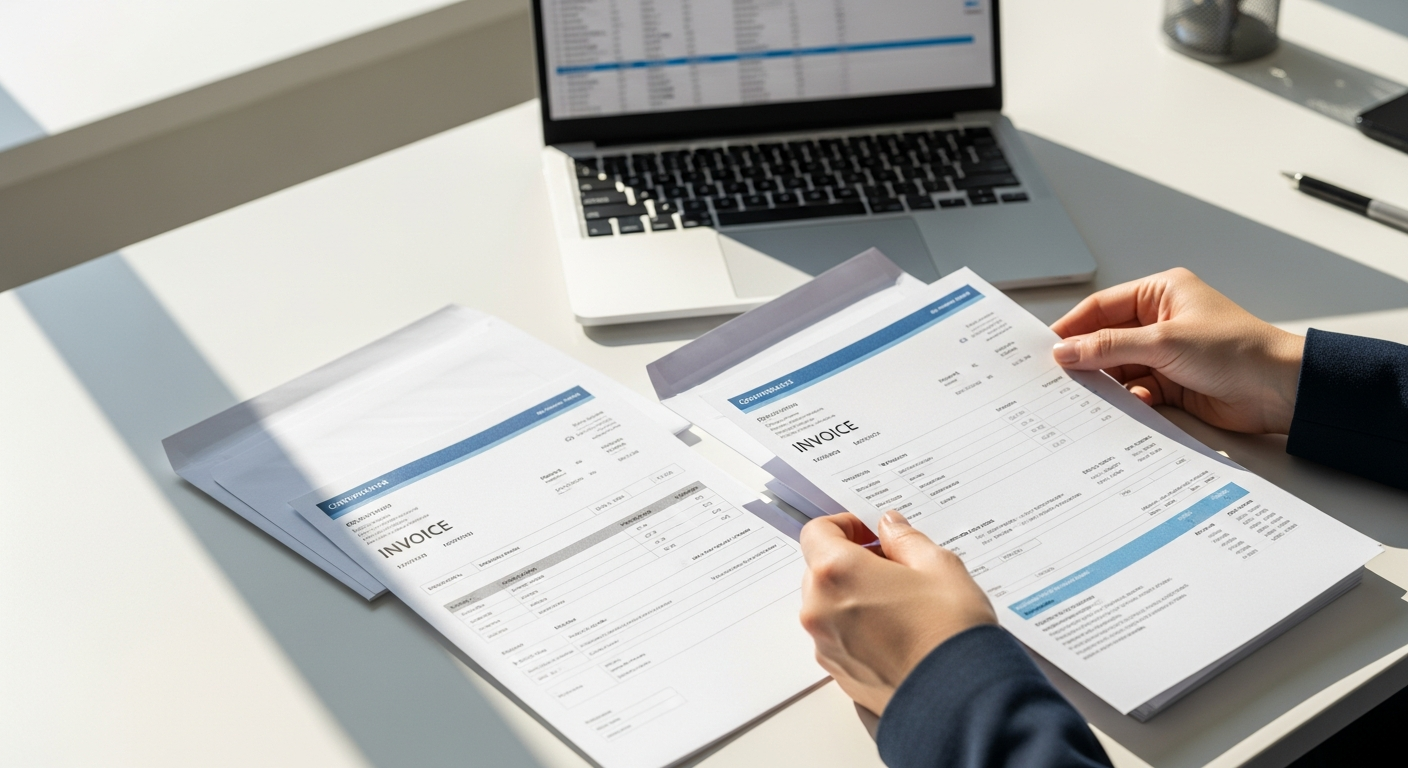
Sending invoices by email feels efficient — until it doesn't. Customers ignore them, spam filters catch them, and "I never got it" becomes a recurring excuse. For businesses with recurring billing cycles or large customer bases, an automated invoice mailing service solves a real collections problem: getting invoices in front of people who actually pay them.
This guide covers how to automate physical invoice delivery at scale, how to format your data correctly, what compliance requirements to understand, and when physical mail outperforms digital channels.
Table of Contents
- Why Physical Invoice Delivery Still Works
- What Is an Automated Invoice Mailing Service?
- When Physical Invoices Outperform Email
- How to Format Your CSV for Invoice Mailing
- Variable Data Merge: What It Is and How It Works
- Compliance Considerations for Mailed Invoices
- Who Benefits Most From Automated Invoice Mailing?
- How to Send Invoices at Scale With WriteToMail
- Sources
- FAQ
Why Physical Invoice Delivery Still Works
Email open rates for billing-related messages hover around 20-25% for most industries. That means three out of four customers aren't even seeing your invoice. Physical mail, by contrast, has an open rate closer to 80-90%, according to data from the Data & Marketing Association. A mailed invoice doesn't go to a spam folder. It lands on a desk.
That gap has real consequences for days sales outstanding (DSO) — the metric accounts receivable teams live and die by. Every day an invoice sits unread in someone's inbox is a day cash isn't moving. Physical mail eliminates the delivery ambiguity entirely.
There's also a psychological dimension. A paper invoice carries weight — literally and figuratively. It signals that a real transaction occurred, that a real business sent it, and that a response is expected. Customers treat physical mail as more formal and more urgent than email. That perception matters when you're trying to get paid.
What Is an Automated Invoice Mailing Service?
An automated invoice mailing service is a platform that handles the printing, postage, and USPS delivery of your invoices — without you touching a printer, envelope, or stamp. You supply the recipient data and invoice content. The service handles everything downstream.
The key word is automated. Traditional mailing requires someone to print a document, fold it, stuff it in an envelope, apply postage, and drive to a post office. That workflow doesn't scale beyond a handful of invoices without dedicated staff. An automated service compresses that entire chain into a CSV upload and a few clicks.
Modern services like WriteToMail support bulk mailings via CSV spreadsheet upload with variable data merge — meaning each recipient gets a personalized letter with their name, invoice amount, account number, and due date. You compose one template. The system generates thousands of individualized letters.
When Physical Invoices Outperform Email
Physical invoices aren't always the right choice. But in certain situations, they're clearly superior.
High-value transactions. For invoices above $500-1,000, the cost of non-payment far exceeds the cost of a first-class stamp. Sending physical invoices for large accounts is simply rational.
Repeat non-payers. If a customer has ignored two or three email invoices, escalating to physical mail changes the dynamic. The formality of a mailed invoice signals that you're serious. This is closely related to the strategy behind sending past-due notices by mail, which has well-documented collection rate advantages over email alone.
Older demographics or low digital engagement. Some customer segments — retirees, rural customers, certain service trades — are simply more responsive to physical correspondence. Meeting them where they are isn't patronizing; it's effective.
Legal documentation needs. Email is easy to dispute. A USPS-delivered letter creates a documentation trail. For pre-collections or pre-litigation situations, physical mail provides evidence that the customer was notified.
Regulated industries. Healthcare billing, financial services, and some utilities have compliance requirements around how invoices and notices must be delivered. Physical mail often satisfies those requirements more cleanly than email.
How to Format Your CSV for Invoice Mailing
The quality of your CSV file determines the quality of your mailed invoices. Garbage in, garbage out — and a typo in someone's address means your invoice ends up undeliverable.
Required Fields
Every row in your CSV represents one recipient. At minimum, you need:
| Column Name | Description | Example |
|---|---|---|
first_name |
Recipient's first name | Jane |
last_name |
Recipient's last name | Holloway |
address_line_1 |
Street address | 4210 Maple Ave |
address_line_2 |
Unit/suite (optional) | Suite 301 |
city |
City | Denver |
state |
Two-letter state code | CO |
zip |
5-digit ZIP code | 80203 |
invoice_number |
Your internal invoice ID | INV-20260615-0042 |
amount_due |
Dollar amount owed | $1,247.50 |
due_date |
Payment due date | July 15, 2026 |
Optional Enrichment Fields
More data means more personalized letters. Consider adding:
account_number— helps customers cross-reference your recordsservice_period— "for services rendered May 1–31, 2026"late_fee— if applicable after the due datepayment_urlorpayment_phone— your preferred payment channel
Formatting Rules That Prevent Errors
States must be two-letter abbreviations (CO, not Colorado). ZIP codes must be formatted as text, not numbers — otherwise Excel will strip leading zeros from East Coast ZIPs like 02101. Invoice amounts should include dollar signs and decimal points for clarity. Dates should be written in full (July 15, 2026) rather than numeric format (7/15/26) to avoid any ambiguity in the final letter.
For a deeper walkthrough of CSV preparation and variable field mapping, the complete guide to bulk letter mailing via CSV upload covers formatting requirements, common errors, and real examples.
Variable Data Merge: What It Is and How It Works
Variable data merge is the engine behind personalized bulk mail. You write one letter template with placeholder fields — like {{first_name}} or {{amount_due}} — and the system replaces those placeholders with the actual values from each row in your CSV.
A letter template might read:
Dear {{first_name}},
This is a reminder that Invoice {{invoice_number}} in the amount of {{amount_due}} is due by {{due_date}}. Please submit payment to avoid a late fee.
When the merge runs, 500 different customers each receive a letter addressed to them personally, with their exact invoice number and balance. From the recipient's perspective, it looks like you wrote them a letter individually. From your perspective, you uploaded a spreadsheet and clicked send.
This matters for payment rates. Generic "Dear Customer" invoices get lower engagement than personalized correspondence. Using the recipient's name and specific invoice details creates cognitive ownership — the customer recognizes the invoice as theirs and is more likely to act on it.
WriteToMail's variable data mail merge maps CSV columns directly to letter placeholders. You preview exactly how each letter will look before sending anything to print.
Compliance Considerations for Mailed Invoices
Mailed invoices carry compliance implications that email doesn't. Understanding them protects your business.
FDCPA (Fair Debt Collection Practices Act)
If you're a third-party debt collector — not the original creditor — the FDCPA governs how and when you can send collection notices. Required disclosures, validation notice language, and timing restrictions all apply. Even businesses that aren't technically "collectors" should understand these rules if they're sending past-due notices. Violations carry civil liability.
HIPAA for Healthcare Billing
Healthcare providers and billing companies sending invoices that reference services, diagnoses, or treatment must handle that data carefully. WriteToMail is HIPAA-compliant, which means patient financial data can be processed and mailed without violating federal privacy rules. For healthcare AR teams, this is non-negotiable.
SOC 2 Compliance
Any platform handling financial data at scale — invoice amounts, account numbers, customer addresses — should maintain SOC 2 certification. SOC 2 audits verify that a platform has appropriate controls around data security, availability, and confidentiality. WriteToMail is SOC 2 compliant. That matters when you're uploading a spreadsheet with thousands of customers' financial details.
State-Level Requirements
Some states have specific requirements for billing notices — particularly utilities, healthcare, and consumer financial products. If you operate in a regulated industry, consult your legal team before deploying a bulk invoice mailing campaign.
Who Benefits Most From Automated Invoice Mailing?
Accounts receivable teams at mid-size businesses. AR teams managing hundreds of open invoices can't manually print and mail each one. Automation removes the bottleneck. A single CSV upload can generate and mail a full month's billing run in minutes.
Small businesses with recurring billing. Monthly retainer clients, subscription services, service contractors — businesses that bill the same customers repeatedly benefit enormously from automation. Set up your template once and reuse it every billing cycle. For more on this use case, the guide on how small businesses send invoices and payment reminders by mail goes into detail on escalation strategies and template design.
Healthcare billing departments. Billing statements, explanation-of-benefits letters, and balance-due notices all qualify as mailing candidates — especially for patients with low email engagement.
Law firms handling collections matters. Law firms managing debt recovery on behalf of clients often need to send formal demand letters and invoices by physical mail for documentation purposes. The compliance and audit trail benefits are significant.
Property managers. Monthly rent invoices, HOA statements, and maintenance billing all benefit from automated mailing — especially for portfolios with many units.
How to Send Invoices at Scale With WriteToMail
WriteToMail is built for exactly this workflow. Here's how the process works:
Step 1: Prepare your CSV. Export your billing data from your accounting software (QuickBooks, FreshBooks, Xero, or a simple spreadsheet). Format it with the required columns as described above.
Step 2: Draft your invoice letter template. Use WriteToMail's rich text editor to compose your letter. Insert variable placeholders where you want personalized data to appear — recipient name, invoice number, amount due, due date.
Alternatively, use the AI-powered letter drafting tool. Describe what you need ("a professional invoice letter for a monthly retainer client with net-30 payment terms") and the platform generates draft copy you can refine.
Step 3: Upload your CSV and map your fields. Upload your spreadsheet and map each column to the corresponding placeholder in your template. Preview how individual letters will render before committing.
Step 4: Confirm and send. WriteToMail handles printing, enveloping, postage, and USPS First-Class Mail delivery. You get confirmation. Your customers get letters.
The entire process — from CSV upload to letters in the mail — takes under 30 minutes for most campaigns. For businesses that previously spent a full day on monthly invoice mailing runs, that's a significant operational shift.
If you're dealing with overdue invoices rather than current ones, the workflow for sending past-due invoices by mail follows the same structure with urgency-appropriate letter language.
Sources
- Data & Marketing Association — Direct Mail Response Rate Report — physical mail open rate data cited in the introduction section
- CFPB — Fair Debt Collection Practices Act Overview — FDCPA compliance requirements for mailed collection notices
- HHS — HIPAA for Healthcare Providers — HIPAA obligations for healthcare billing correspondence
- AICPA — SOC 2 Certification Overview — explanation of SOC 2 compliance standards
- IRS — Business Invoicing and Recordkeeping Requirements — baseline guidance on business invoice documentation
FAQ
What is an automated invoice mailing service?
An automated invoice mailing service is a platform that handles the printing, postage, and physical delivery of invoices on your behalf. You supply recipient data (typically via a CSV file) and a letter template. The service merges the data into personalized letters and delivers them via USPS First-Class Mail — no printer, stamps, or post office visit required.
How many invoices can I send at once?
With a platform like WriteToMail, you can send to thousands of recipients simultaneously using a single CSV upload. The bulk mailing system processes each row as an individual personalized letter, so there's no practical ceiling on volume for most business use cases.
What file format do I need for bulk invoice mailing?
Standard CSV (comma-separated values) format is the most widely accepted. Your file needs columns for recipient name, mailing address components (street, city, state, ZIP), and any variable fields you want to appear in the letter — such as invoice number, amount due, and due date.
Is it legal to send invoices via physical mail?
Yes. Physical mail is a fully legal and widely accepted method for invoice delivery. For certain regulated industries or past-due collection situations, physical mail is actually the preferred or required method because it creates a documentation trail. Always ensure any collection-related language complies with applicable law, including the FDCPA if you're a third-party collector.
How long does USPS First-Class Mail take to arrive?
USPS First-Class Mail typically delivers within 1–5 business days domestically. Most recipients in major metropolitan areas receive their mail within 2–3 business days of the send date.
Can I send invoices with different amounts to different customers in one batch?
Yes — that's exactly what variable data merge is designed for. Each row in your CSV can have a different amount_due value, and the merge system will insert the correct amount into each customer's individual letter. Every recipient gets a personalized letter with their specific balance.
What happens if a mailed invoice is returned as undeliverable?
Undeliverable mail is returned to the sender. This actually serves a useful function — it flags outdated addresses in your customer database. Most online mailing platforms, including WriteToMail, apply USPS CASS (Coding Accuracy Support System) address validation to reduce deliverability failures before printing.
Is my customer data secure when I upload a CSV?
WriteToMail is SOC 2 compliant and HIPAA compliant, meaning the platform has verified security controls for handling sensitive financial and personal data. If your invoices contain protected health information (PHI) or financial account data, these certifications matter.
How is automated invoice mailing different from emailing a PDF invoice?
Email invoices are often ignored, filtered to spam, or disputed as "never received." A physical mailed invoice creates a formal, documented record of delivery. It also commands more attention — physical mail has open rates near 80-90% compared to roughly 20-25% for billing emails. For large balances or past-due situations, the formality of physical mail meaningfully improves payment rates.
Can I include payment instructions or a return envelope with my invoice?
You can include payment instructions, a payment portal URL, phone number, or mailing address for check payments within the letter body itself. WriteToMail handles letter content fully through its editor — include whatever payment guidance your customers need to act.