
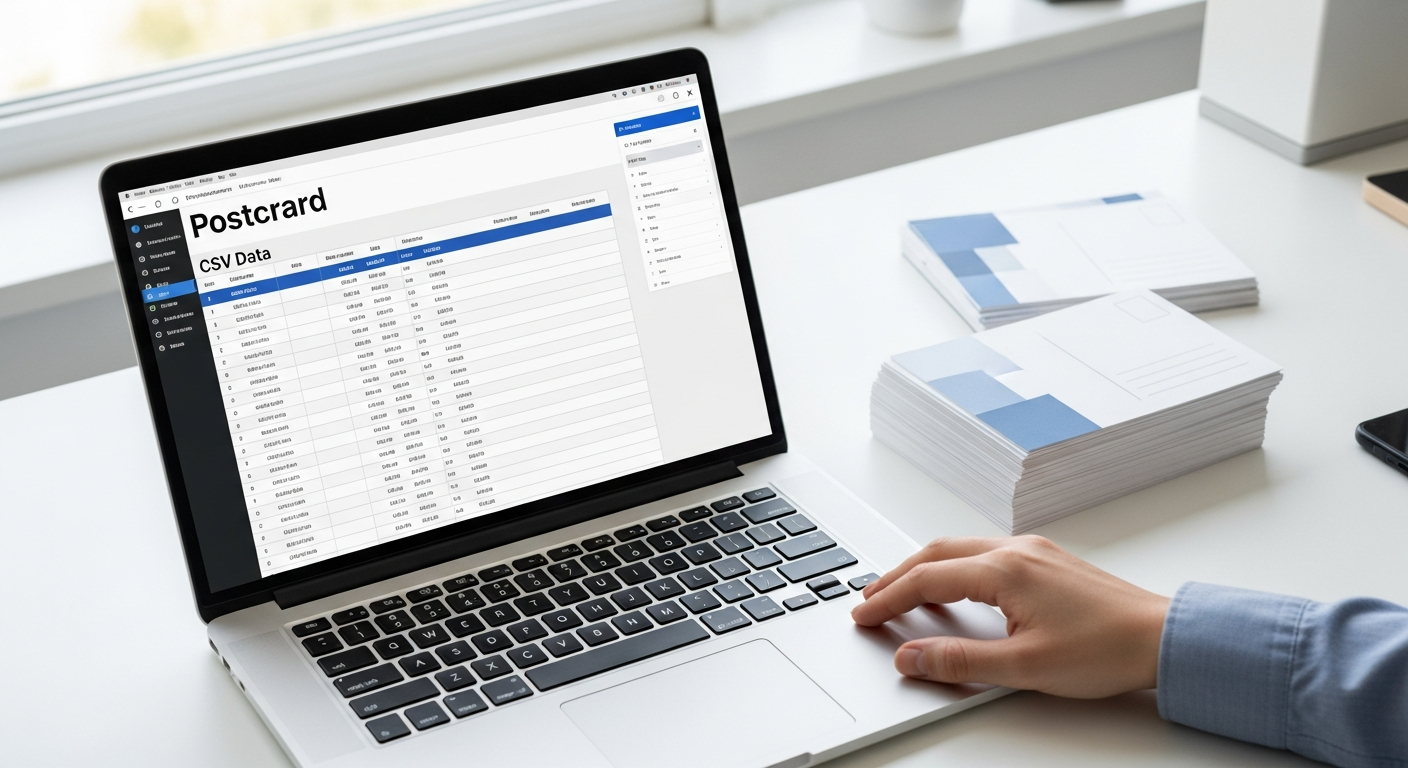
Running a postcard marketing campaign used to mean hiring a print shop, managing a mail house, and waiting two weeks before a single card hit a mailbox. That friction kept most small businesses from ever trying it. The process has changed completely. Today you can upload a spreadsheet, design a postcard, and have physical mail in transit within hours — no printer, no stamps, no vendor calls.
This guide walks through every step of launching a postcard marketing campaign service using CSV upload: how to build your list, structure your data, personalize at scale, and measure what actually worked.
Table of Contents
- Why Postcards Still Work in 2026
- How CSV-Based Postcard Campaigns Work
- Building and Formatting Your Mailing List
- Designing a Postcard That Gets a Response
- Variable Data Personalization via Mail Merge
- Segmenting Your List for Better Results
- Launching Your Campaign on WriteToMail
- Measuring ROI Without Complex Infrastructure
- Common CSV Errors to Avoid
- FAQ
Why Postcards Still Work in 2026
Physical mail has a singular advantage over every digital channel: it cannot be filtered into spam. According to the USPS 2024 Household Diary Study, 84% of households either read or scan every piece of direct mail they receive. Email average open rates hover around 21% across industries, per Mailchimp's 2024 benchmarks. The gap is not marginal — it's structural.
Postcards specifically outperform letters in certain scenarios because there's nothing to open. The message is visible the moment someone touches it. The Data & Marketing Association has consistently reported postcard response rates between 4.25% and 6% for house lists — compared to 0.12% for email to similar lists.
That doesn't mean postcards beat every channel. It means they belong in the mix, especially for local businesses, product launches, win-back campaigns, and any offer where physical presence creates credibility.
How CSV-Based Postcard Campaigns Work
The traditional workflow required a minimum of four vendors: a list broker, a graphic designer, a print shop, and a mail house. A CSV-based approach compresses that into a single upload.
Here's the end-to-end flow:
- Prepare your recipient list — a spreadsheet with addresses and any personalization fields
- Design your postcard — using an online template or uploading your own design
- Map your CSV columns to variable fields in the postcard template
- Review and approve a proof of the personalized output
- Submit — the platform handles printing, postage, and USPS delivery
WriteToMail's bulk mailing via CSV upload handles this entire workflow in one place. You upload your spreadsheet, map your columns (name, address, any custom field), and send to thousands of recipients simultaneously without touching a printer or visiting a post office. If you want a deeper look at how the spreadsheet-to-mail workflow operates end to end, the guide on sending bulk direct mail from a spreadsheet walks through it with real-world examples.
Building and Formatting Your Mailing List
Your campaign is only as good as your list. A perfectly designed postcard mailed to the wrong addresses is wasted spend.
Where to Source Your List
- Your own customer database — highest response rate, cheapest list to build
- CRM export — pull lapsed customers, inactive subscribers, or segment by purchase history
- Event or lead form signups — people who opted in have shown intent
- Purchased lists from list brokers — useful for prospecting, but expect lower response rates and more delivery failures
The best lists are first-party. If you've collected physical addresses through transactions, forms, or registrations, that data is gold. Response rates on house lists run 2–5x higher than on rented or purchased lists.
CSV Formatting Requirements
Your file needs to be clean before upload. Required columns for a postcard mailing:
| Column | Notes |
|---|---|
| First Name | Used for personalized salutations |
| Last Name | Required for full name merge |
| Address Line 1 | Street address — no P.O. boxes for standard postcards |
| Address Line 2 | Suite, unit, apt (optional) |
| City | Full city name |
| State | Two-letter abbreviation (TX, CA, NY) |
| ZIP Code | Five-digit minimum; nine-digit improves deliverability |
Any additional columns you add — offer code, purchase amount, account number — can be mapped to variable fields in your postcard design.
Keep ZIP codes formatted as text, not numbers, or leading zeros on ZIP codes like 02101 will drop. That single formatting mistake causes delivery failures across entire Northeast segments.
Designing a Postcard That Gets a Response
Design drives response. A well-written offer on a cluttered, visually confusing postcard underperforms a clear, single-message card every time.
The Four-Zone Postcard Framework
Think of a standard 4×6 or 6×9 postcard in four zones:
Front — Attention Zone One dominant image or visual. One headline. No more. The job of the front is to earn the 3 seconds before it gets set down — or thrown away.
Front — Offer Zone Below or beside the headline: your core offer in 10 words or fewer. "Free consultation this month" beats "We're offering a limited-time complimentary consultation to new clients."
Back — Message Zone Three to five sentences max. Who you are, why it matters to this recipient, and what they should do next. Use short paragraphs. White space is not wasted space.
Back — Response Zone Your call to action must be physically distinct: a QR code, a phone number, a URL, or a dedicated promo code. One CTA. Not three.
Design Rules That Hold Up
- High-contrast text on background — if you're squinting at the proof, the recipient won't bother
- Use a real person's name in the return address, not just a company name — it increases open-to-read rates
- Include a deadline on time-sensitive offers — "valid through July 31" creates urgency without pressure tactics
- Postcard size matters: 6×9 has higher perceived value than 4×6 and stands out in a mail stack
For a deeper look at when postcards outperform letters (and vice versa), the comparison at postcard vs. letter for direct mail walks through response rates, cost per piece, and use-case breakdowns with data.
Variable Data Personalization via Mail Merge
Personalization is the single highest-leverage move in postcard marketing. A postcard addressed to "Current Resident" performs significantly worse than one addressed to "Sarah" — and the gap widens when the body copy also references something specific to that recipient.
How Variable Fields Work in a CSV Campaign
Each column in your CSV becomes a potential merge field. The most common:
{{FirstName}}— "Hi Sarah," beats "Hi there," every time{{City}}— "Serving homeowners in Austin" feels local even at scale{{OfferCode}}— unique codes per recipient let you track which list segment responded{{AmountDue}}— for collections or billing reminders{{PropertyAddress}}— essential for real estate campaigns
WriteToMail's variable data mail merge maps CSV columns directly to placeholders in your postcard template. You define the placeholder names in your design, then assign which CSV column feeds each one at upload. The system renders a unique version of the postcard for every row in your spreadsheet.
At 500 recipients, this level of personalization would have required a professional mail house and several hundred dollars in setup fees. Now it's part of the upload workflow.
Segmenting Your List for Better Results
Sending the same postcard to every name on your list is the fastest way to get mediocre results. Segmentation — even simple segmentation — dramatically improves response rates.
Practical Segmentation Approaches
By recency: Separate customers who purchased in the last 90 days from those who haven't bought in over a year. The win-back offer for lapsed customers should be different from the upsell message for active ones.
By geography: If you serve multiple cities or neighborhoods, localize the copy. "Serving Denver homeowners" converts better than a generic regional message.
By offer tier: High-value customers warrant a higher-value offer. Segment your top 20% by spend and create a VIP version of the campaign.
By stage in your funnel: Cold prospects need education and a low-friction first step. Warm leads need urgency and a specific offer. These are two different postcards.
The beauty of CSV-based campaigns is that segmentation lives in your spreadsheet. Create one column called Segment, populate it with "Active," "Lapsed," or "Prospect," and design three postcard versions — one for each segment. Upload separately or use conditional field logic if your template supports it.
Launching Your Campaign on WriteToMail
Once your CSV is clean and your design is ready, the actual launch process is straightforward.
Step 1: Create your postcard design Use WriteToMail's postcard creation tool to design your card. Include your variable field placeholders in the design exactly as they'll appear in your CSV columns.
Step 2: Upload your CSV Navigate to the bulk mailing feature and upload your spreadsheet. The platform accepts standard CSV format.
Step 3: Map your columns Assign each CSV column to the corresponding field: address fields to the delivery address, and custom columns to your variable placeholders.
Step 4: Preview a proof Review a rendered sample with real data from your list. Check that variable fields are populating correctly and that the design looks right at print resolution.
Step 5: Submit and mail WriteToMail handles printing, postage, and USPS delivery. Your postcards go out without you touching a printer or a post office.
For those new to this format, the step-by-step walkthrough in the direct mail campaign from CSV guide covers data formatting, field mapping, and common errors in detail.
Measuring ROI Without Complex Infrastructure
Most small businesses skip measurement because they assume it requires expensive tracking infrastructure. It doesn't. You can measure postcard campaign ROI with three simple mechanisms.
Method 1: Unique Promo Codes
Assign a distinct promo code to each campaign (or each segment). When customers redeem it, you know exactly which mail piece drove the conversion. Your CSV can include a PromoCode field — each recipient gets their own code, or segments share a code. Either approach works.
Method 2: Dedicated Landing Pages or Phone Numbers
Create a campaign-specific URL (yoursite.com/spring26) or a call tracking number that only appears on this postcard. Any traffic or calls from that source are attributable to the campaign. Cost: near zero with Google Analytics and a basic call tracking service.
Method 3: Response Rate Tracking
Track who responded from your mailed list. For 500 postcards at $0.75–$1.25 per piece, your cost is roughly $375–$625. If your product has a $200 average order value, you need a 0.3% response rate to break even — and direct mail response rates on house lists typically run 10–20x that.
The formula:
Campaign ROI = ((Revenue from Campaign − Campaign Cost) / Campaign Cost) × 100
Run this after each campaign. Refine your list, offer, or design based on what the numbers tell you.
Common CSV Errors to Avoid
These mistakes cause delivery failures, bad personalization, or wasted spend. Check your file before upload.
1. ZIP codes formatted as numbers Excel strips leading zeros. Format ZIP columns as text. "02101" becomes "2101" if you don't.
2. Missing or malformed address fields Every row needs a complete address. Partial addresses will fail USPS validation. Run your list through an address verification tool before upload if it's a purchased list.
3. Inconsistent state formatting Use standard two-letter abbreviations. "California" and "Calif." will cause problems — "CA" will not.
4. Special characters in name fields Apostrophes and accented characters (O'Brien, Ñoño) can break variable field rendering in some systems. Check your preview carefully on names with special characters.
5. Blank rows in the spreadsheet A blank row mid-CSV can split your upload or trigger an error. Delete all blank rows before uploading.
6. Column headers with spaces or special characters
Name your columns cleanly: FirstName not First Name or First_Name*. Consistent, clean headers prevent mapping errors.
Sources
- USPS 2024 Household Diary Study — Statistic on percentage of households reading or scanning direct mail
- Mailchimp Email Marketing Benchmarks 2024 — Email average open rate data by industry
- Data & Marketing Association — Direct mail and postcard response rate benchmarks
FAQ
What is a postcard marketing campaign service? A postcard marketing campaign service is a platform or system that lets you design, personalize, and mail physical postcards to a list of recipients — without managing printing, postage, or delivery yourself. Modern services like WriteToMail handle the entire physical fulfillment chain after you submit your design and recipient list.
How many postcards can I send in one CSV upload? WriteToMail supports bulk mailings that send to thousands of recipients simultaneously from a single CSV upload. There's no manual upper limit that requires splitting your file for standard campaigns.
What size postcard works best for marketing campaigns? A 6×9 postcard is the most widely recommended size for marketing campaigns. It stands out in a standard mail stack, provides enough space for a compelling design and offer, and costs less per piece than larger formats like 6×11.
Do I need a graphic designer to launch a postcard campaign? Not necessarily. WriteToMail's postcard creation feature lets you build a design directly on the platform. If you have an existing design, you can upload it as well. For high-stakes campaigns with large budgets, a professional designer adds value — but it's not a prerequisite to launch.
How long does delivery take after I submit a campaign? WriteToMail mails via USPS First-Class Mail. Standard delivery typically takes 3–5 business days after submission, depending on destination. This makes it possible to plan campaigns around specific offer deadlines with reasonable predictability.
Can I personalize each postcard differently for different recipients? Yes. WriteToMail's variable data mail merge lets you map any column in your CSV to a placeholder in your postcard design. Each postcard renders uniquely based on that recipient's row in the spreadsheet — name, city, offer code, account details, or any other field you include.
What's the minimum list size worth mailing? There's no minimum, but campaigns under 50 pieces rarely generate enough data to optimize from. A test run of 100–200 postcards to a well-defined segment gives you measurable signal. Start small, measure, then scale what works.
How is this different from using a local print shop? A local print shop handles printing and potentially design — but you still need to manage addressing, sorting, postage, and delivery yourself or hire a mail house. WriteToMail handles the entire workflow: design, print, address, postage, and USPS delivery in a single platform. No vendor coordination required.
Can I use postcards for industries like real estate or healthcare? Absolutely. Postcard campaigns are used across industries — real estate agents use bulk postcards to farm neighborhoods and announce listings, while healthcare organizations benefit from WriteToMail's HIPAA-compliant physical mail service for patient communications.
What if some addresses on my list are invalid? WriteToMail validates addresses against USPS data. Invalid addresses that fail validation won't be mailed, which prevents wasted spend on undeliverable pieces. Cleaning your list before upload — especially for purchased lists — improves deliverability and reduces that waste further.
Next Steps
A postcard marketing campaign service removes every operational barrier that used to make direct mail impractical for small teams. The list is the strategy. The design is the message. The CSV upload is the execution.
Start with a clean list of 100–500 of your best customers or warmest prospects. Build one postcard with one clear offer and one response mechanism. Upload, send, and measure.
If you're still deciding whether postcards are the right format for your campaign, the guide on direct mail marketing for small businesses covers format decisions, cost benchmarks, and targeting strategy in detail. And if you want a complete overview of how the online postcard mailing workflow operates from design through delivery, the online postcard mailing service guide walks through every step.
The barrier to running your first campaign is lower than it's ever been. Build your list, write your offer, and send it.